
Appearance
Binaural Rooms
Beta — new in Orbit Lite 1.3.2
Binaural Rooms are in the Orbit Lite 1.3.2 beta. They're coming to Orbit too.
On headphones, a mix played with no room around it can sound like it's inside your head. Binaural Rooms place it in a room instead, so it sounds like you're sitting in front of a real speaker array. Each room adds the reflections from its walls and ceiling and a short, natural decay.
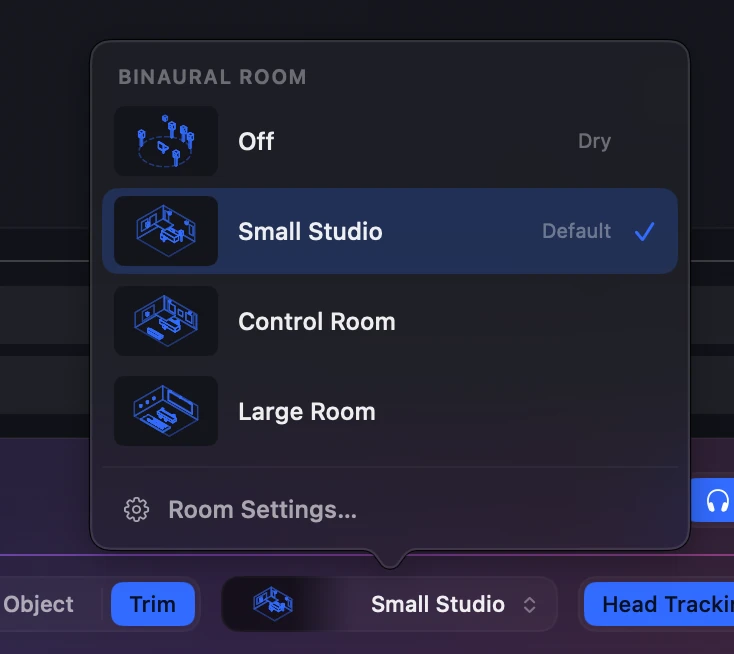
The rooms
| Room | What it sounds like |
|---|---|
| Off | Dry. The virtual speakers only, with no room at all. |
| Small Studio · default | A small, well-treated nearfield room. Close to the sound Orbit Lite has always had, with a little more air after each sound. |
| Control Room | A larger, tuned mix room. Its early reflections are treated, so it stays clear, with a short, even decay: the "sitting in the room" sound. |
| Large Room | A dubbing or scoring stage. Dead walls, and the first reflections arrive late, so the room sounds big without sounding echoey. |
What every room does
- The room stays put when you turn your head. With head tracking on, the reflections come from the room's walls, not from your headphones, just like the speakers.
- Switching rooms doesn't change the level. Every room plays at the same loudness as Off, so you hear the difference in the room, not a jump in volume.
- Switching is smooth. Changing room while the mix plays crossfades, with no click.
- Rooms are for Binaural only. They don't change 7.1.4, Stereo or Apple Spatial monitoring.
Choose a room
In the footer: in Binaural mode, the room chip sits beside Head Tracking. It shows the room you're in, with a small drawing of it. Click it for a menu of every room and your Custom rooms. Room Settings… at the bottom opens the room cards in Preferences.

In Preferences: Preferences ▸ Audio & Output has a Binaural panel with a card for each room. Click a card to choose it.
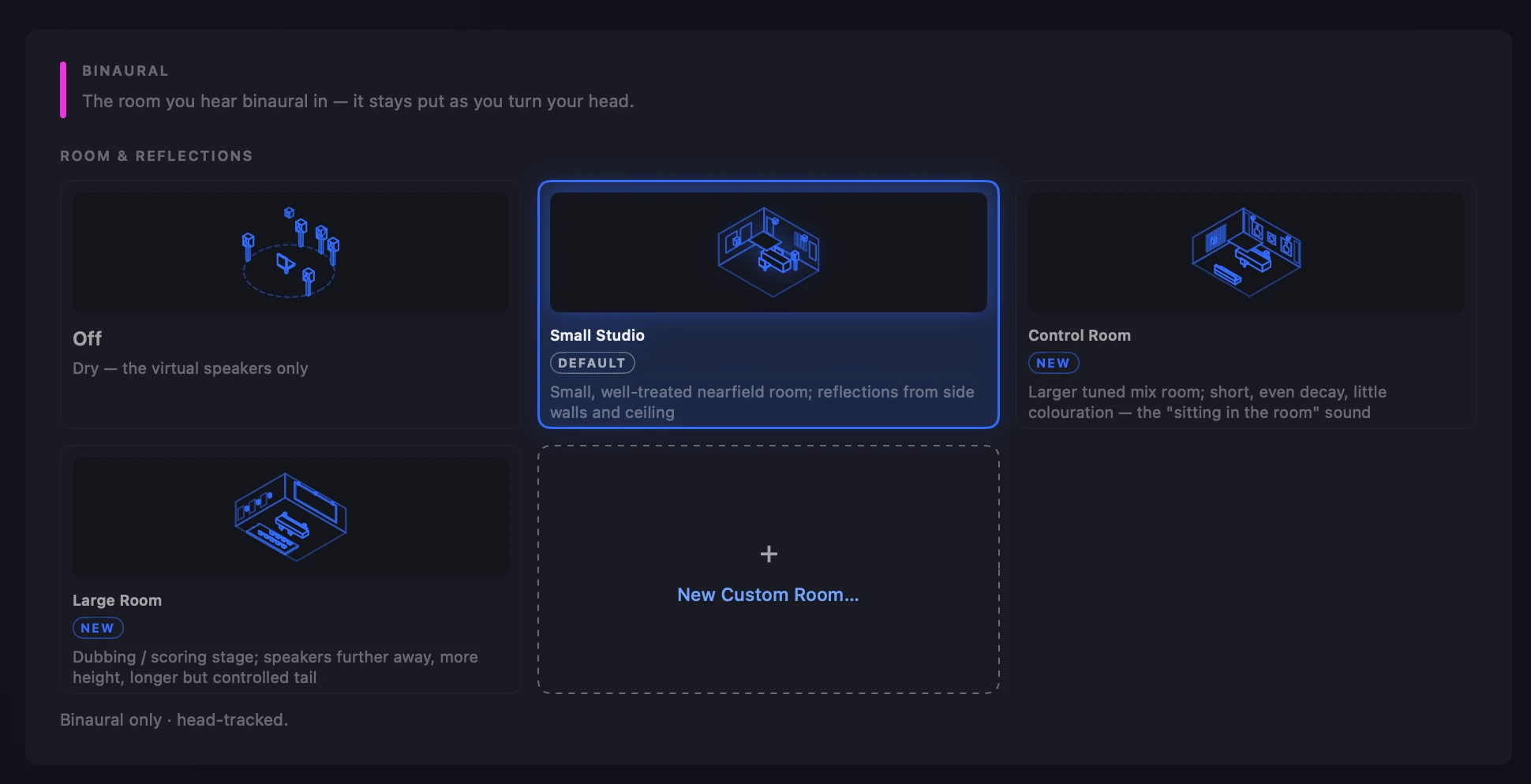
The footer and Preferences show the same choice, and Orbit Lite remembers it between launches.
Custom rooms
Start from Small Studio, Control Room or Large Room, adjust it, name it and keep it. In the Binaural panel, click + New Custom Room….
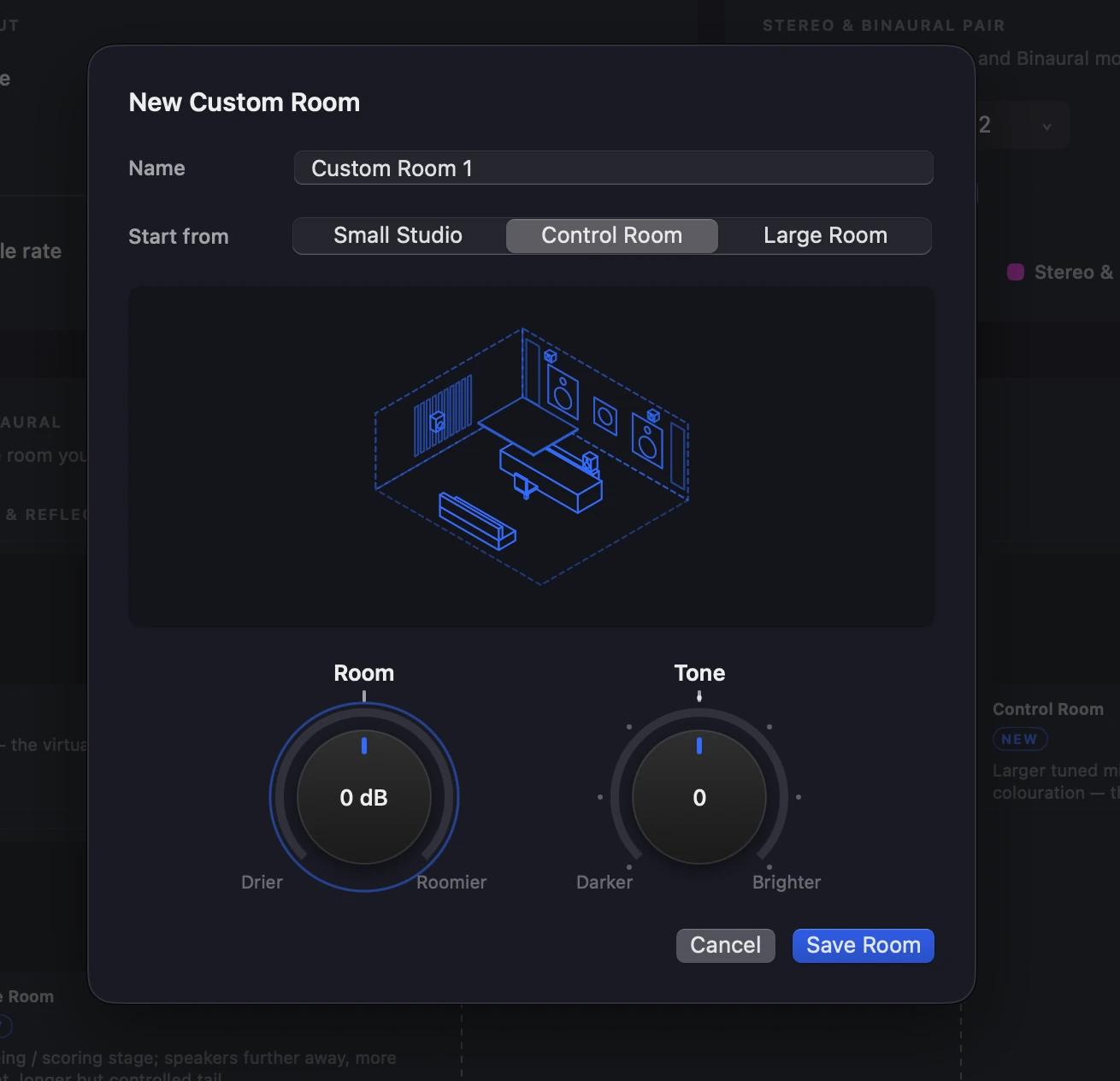
- Room (Drier ↔ Roomier, −6 to +6 dB): how much of the room you hear.
- Tone (Darker ↔ Brighter, −3 to +3): how bright the room's reflections are.
Both knobs have 0 at the top. Drag up or down to turn a knob, double-click to reset it to 0, or click it and use the arrow keys. You hear each change as you make it, and Custom rooms are level-matched like the built-in ones.
Custom rooms appear in the footer menu and in Preferences under their own names. Right-click a Custom room's card to edit or delete it. Deleting the room you're using switches back to Small Studio.
Bass
In the 1.3.2 beta, Orbit Lite's binaural rendering has about 3 dB less low end below 150 Hz than before, in every room including Off. Listeners found the old balance a little bass-heavy.
Related
- Monitoring Modes: Binaural, head tracking and the binaural limiter.
- What's New: everything in the 1.3.2 beta.