
Appearance
Mid-Side & A-format
Aro converts three kinds of microphone recording. An Ambisonic file is decoded; these recordings are converted.
| Recording | Inputs | Converts to |
|---|---|---|
| Mid-Side | Mid, Side | Stereo, or that stereo pair placed in a speaker layout |
| Double Mid-Side | Front mid, Rear mid, Side | Stereo, a speaker layout, or first-order AmbiX |
| A-format | Four capsules: FLU, FRD, BLD, BRU | Stereo, a speaker layout, or first-order AmbiX |
Mid-Side never becomes Ambisonic: a single cardioid Mid doesn't hold the front-back picture. Double Mid-Side and A-format do.
Opening a recording
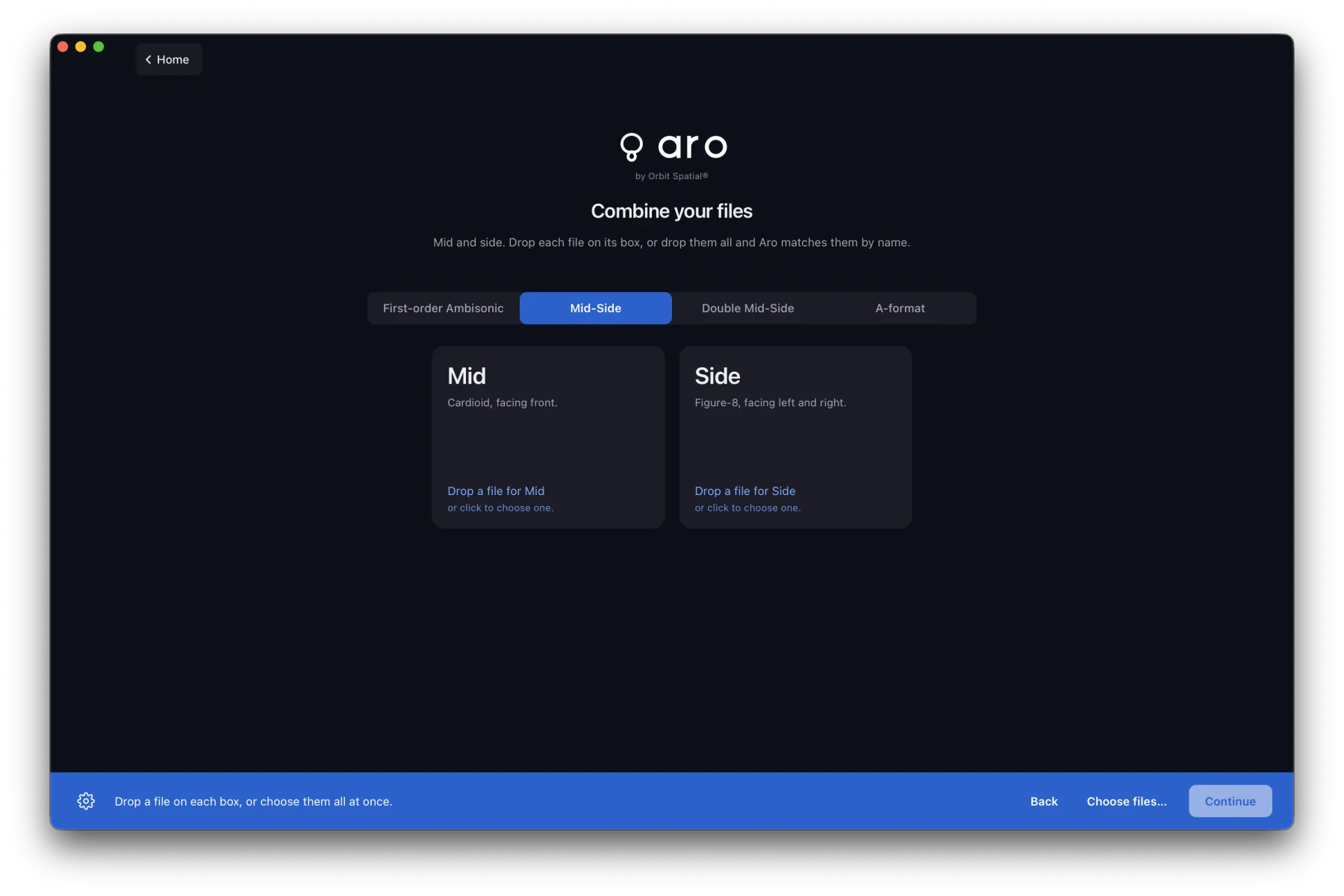
- One file: open a 2-, 3- or 4-channel WAV and answer What is this file? with Mid-Side, Double Mid-Side or A-format mic recording. Its channels become the roles in file order.
- Separate mono files: use Combine.
The converter stage
The recording opens on its own stage instead of the views. The stage explains the recording in a sentence and draws it: polar pickup patterns for Mid-Side and Double Mid-Side, the four-capsule diagram for A-format. The result is shown as a dial, with the OUT meters beside it.
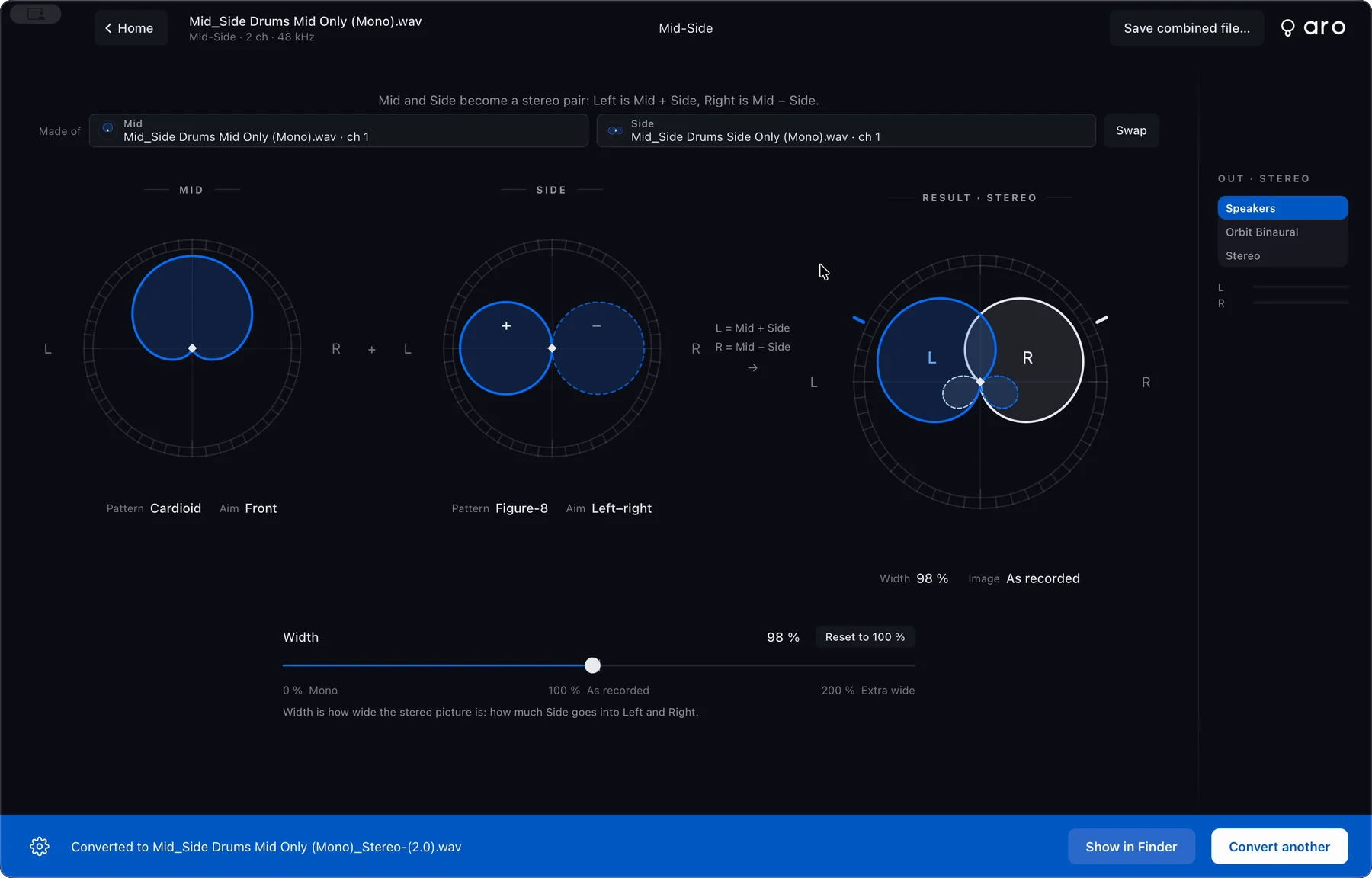
- Width runs 0 to 200 % (default 100 %), on the stage and in the sidebar. The stage names the image: Mono, Narrow, As recorded, Wide or Extra wide. A-format has no width.
- Trim for each input, −12 to +12 dB. Click a role in the sidebar to set it. Aro never measures or matches capsule levels for you.
- Convert to chooses Stereo, Layout or Ambisonic.
Width, trims, orientation and LFE are heard as you drag, with no clicks.
Placing a Mid-Side pair
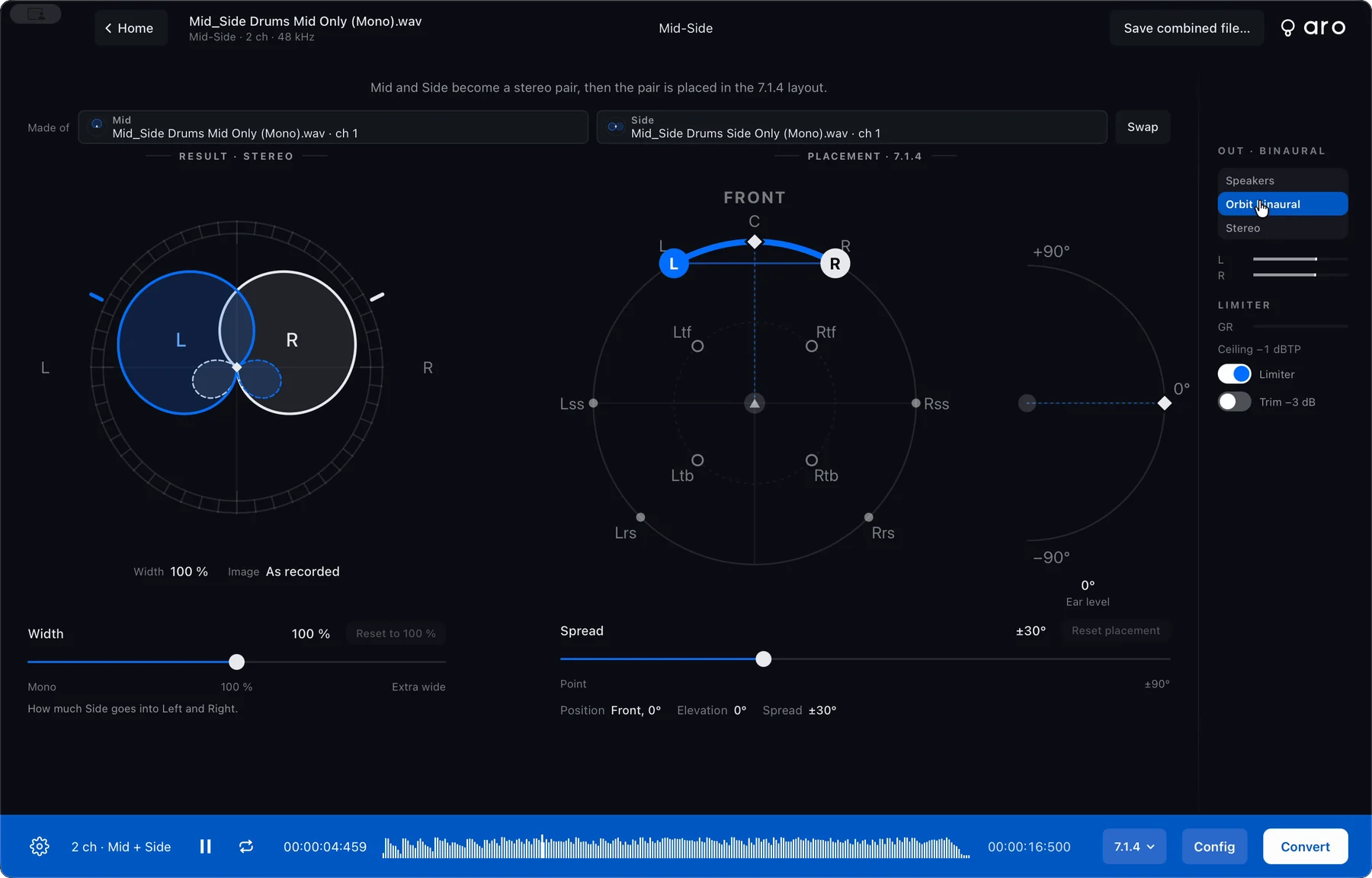
When you convert Mid-Side to a speaker layout or Orbit Binaural, Placement puts the stereo pair where you want it in the room:
- A top-down position pad sets where the pair faces.
- A side-view elevation arc lifts it, −90° to +90°.
- Spread sets how far apart the left and right sit, 0 to ±90° (default ±30°).
- Reset placement puts it back to front, ear level, ±30°.
On a layout with no speakers below ear level, a note says the pair plays at ear level.
Converting to a file
Press Convert (⌘E), choose a name and a place. What you hear is what's written. The footer then reads Converted to the file's name.
- Ambisonic files are first-order AmbiX, with no LFE channel and no loudness measurement.
- Stereo and Layout files use the same bit depth, sample rate and loudness options as decoded files.
Good to know
- A-format is the plain conversion. Nothing corrects for the capsules' spacing, which softens the picture at high frequencies.
- The microphone geometry is a generic tetrahedral array.
- Orientation and LFE are off for Mid-Side, with the reason.