
Appearance
Speakers & Routing
Preferences ▸ Speakers adds your own speaker layouts, patches the layout to your output interface and checks the wiring. It's for Speakers monitoring; stereo and Orbit Binaural always use the first two outputs.
Custom layouts
Add your own rig from a speaker layout file (OSLS, .osls), alongside Aro's built-in layouts.
- Import layout… opens a file dialog. If Aro can't use the file, it says why and adds nothing. Importing a layout Aro already has replaces it.
- Import from Orbit copies every custom layout from Orbit, once. Orbit's own layouts are only read, never changed.
- Remove deletes Aro's copy of a layout, with its mixer and patch. Removing the layout in use, or the one Aro starts with, switches to 7.1.4, and Aro says so.
Custom layouts show wherever you choose a layout, marked Custom, and Aro keeps its own copy, so they're there the next time you open it. Layouts can't change while a decode or batch is running.
OSLS is an open format for describing a loudspeaker rig. Read more at osls.io.
Routing
- Speaker layout — the live layout, the same one the layout picker sets.
- Interface — the output device and how many outputs it has. Change the device in Monitoring.
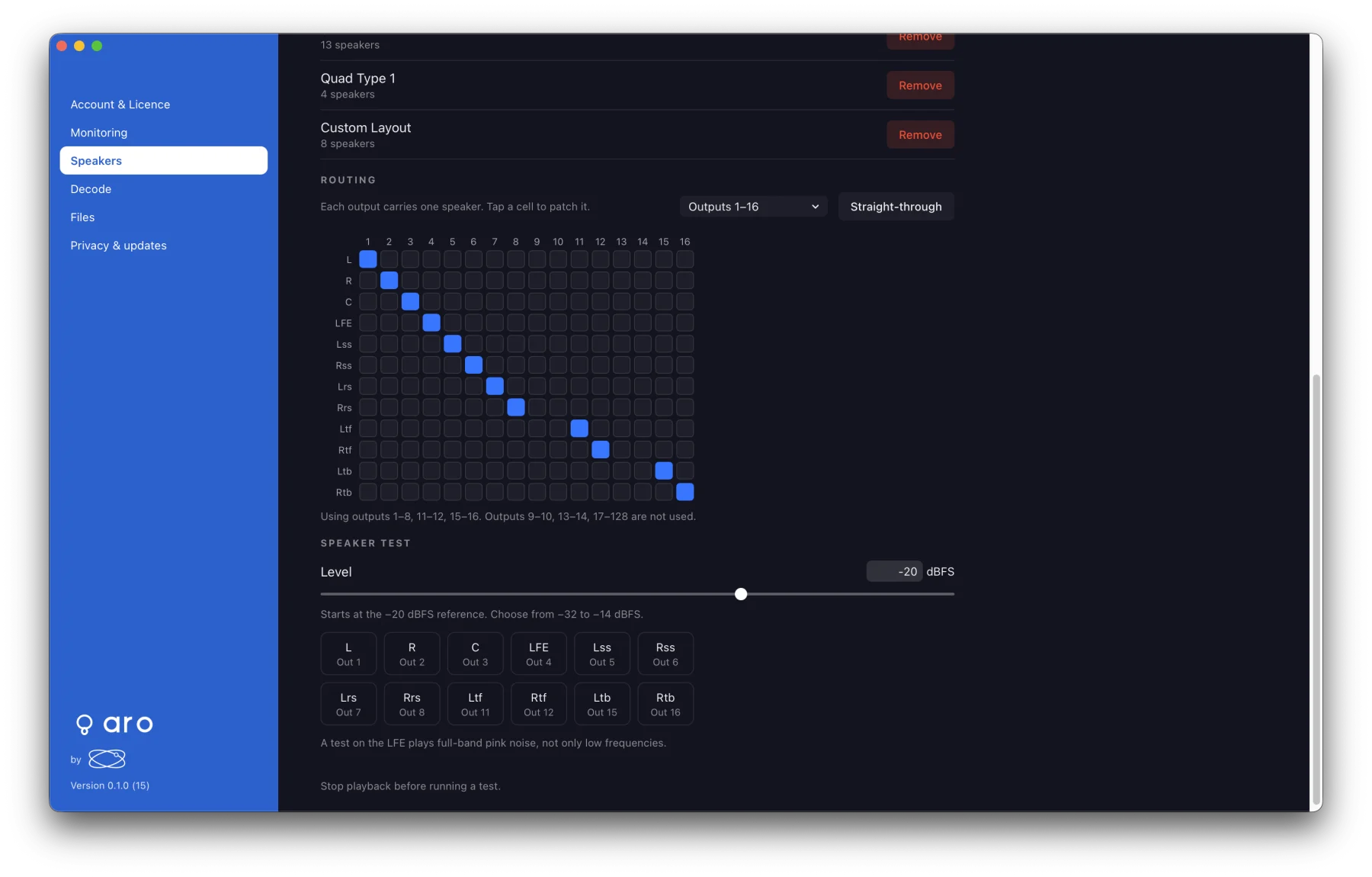
- Routing — a grid of speakers against outputs, 16 outputs to a page. Click a cell to send a speaker to an output. Each output carries one speaker; a speaker can feed several outputs.
- Straight-through puts speaker 1 on output 1, speaker 2 on output 2, and so on.
Aro saves the patch for each layout, so changing interface keeps it, and outputs the new device doesn't have are simply not used. A layout you haven't patched plays straight-through. On a device with fewer than 3 outputs, the grid is off with the reason.
Speaker test
Plays pink noise on one speaker at a time. Each speaker's button names its output.
- The level starts at the −20 dBFS reference each time and goes from −32 to −14 dBFS.
- It needs Speakers monitoring and a stopped transport.
- It stops when you press Stop test or Play, open a file, change layout, device or monitoring, or close Preferences.
- A test on the LFE plays full-band pink noise.
- The test ignores the mixer.