
Appearance
Decoded Files
When the decode sounds right, press Decode (⌘E), choose a name and a place, and Aro writes the WAV.
Output settings
Set these under Output in the Configuration sidebar before you decode. Set the starting values in Preferences ▸ Decode.
Bit depth
16-bit, 24-bit (the default) or 32-bit float. 16-bit files get TPDF dither automatically.
Sample rate
Same as source (Aro shows the file's rate), 44.1, 48, 88.2 or 96 kHz. Aro converts after the decode.
Loudness
Click Loudness under Output. Both are measured to ITU-R BS.1770-5 and are off until you turn them on:
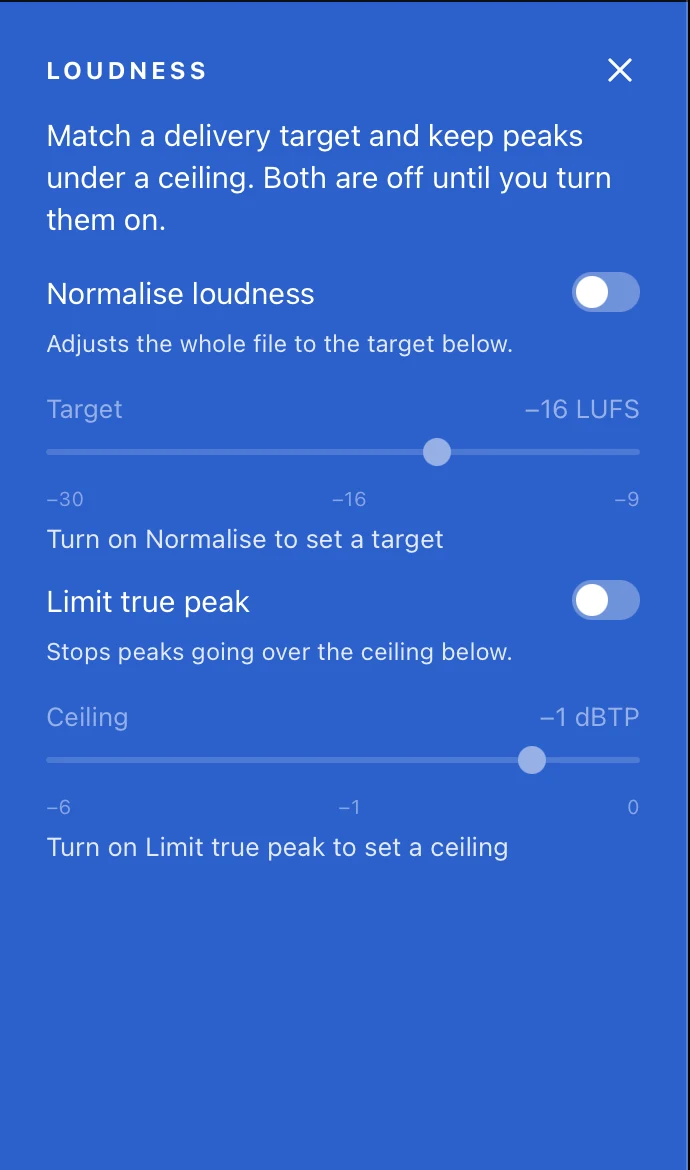
- Normalise — to a target loudness, −30 to −9 LUFS (default −16 LUFS).
- Limit true peak — to a ceiling, −6 to 0 dBTP (default −1 dBTP).
Avoiding clipping
A speaker-layout file can clip at 16 or 24 bit if the decode is hot. Turn on Limit true peak to hold the ceiling. Orbit Binaural files always have their own limiter (see Monitoring).
The decoded file
- A WAV with every channel of the chosen layout, in the layout's own channel order. For 7.1.4: L, R, C, LFE, Lss, Rss, Lrs, Rrs, Ltf, Rtf, Ltb, Rtb.
- Orbit Binaural gives a 2-channel binaural WAV.
- The layout's mixer levels and mutes are written in. Solos never are.
- Files over 4 GB are written as RF64.
File names
Aro suggests <file>_<layout>.wav, for example Forest_Walk_3OA_7.1.4.wav. To use <file> · <layout>.wav instead, or to set where files are saved, see Preferences ▸ Files in Preferences.
Progress, cancelling and done
A progress bar shows the decode, which runs much faster than real time. Cancel stops it and leaves nothing behind: Aro writes to a hidden temporary file and only renames it when the decode finishes, so an existing file of the same name is never touched. You can't decode over the file you're decoding.
Quitting during a decode asks first; if you quit, the decode is cancelled the same way.
When it's done, the footer reads Decoded to the file's name, and Show in Finder selects it.