
Appearance
Decoding
Everything that shapes the decode lives in the Configuration sidebar. Click Config in the footer (⌥⌘S) to open it. Every change is heard live, and goes into the decoded file too.
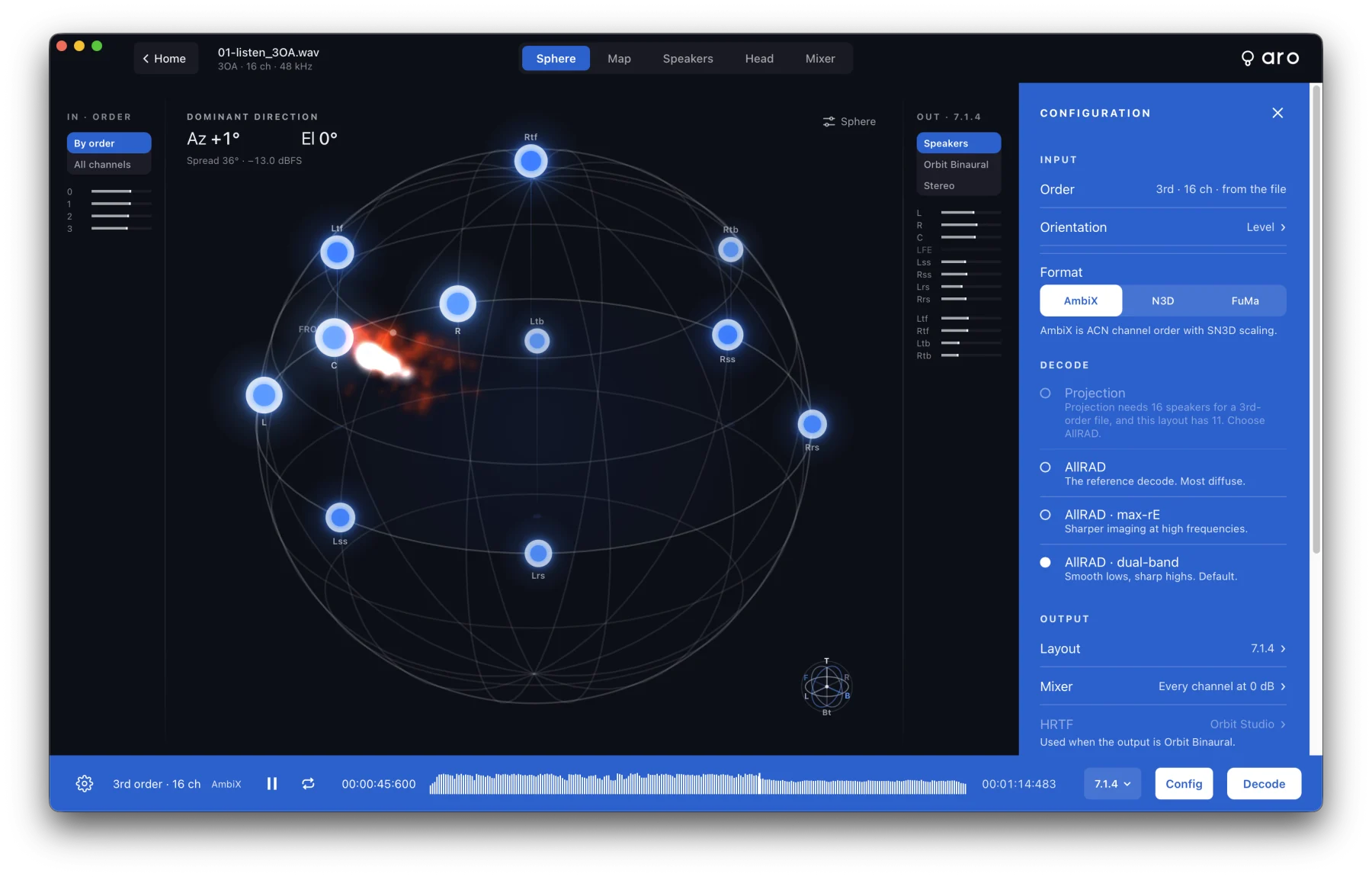
Layouts
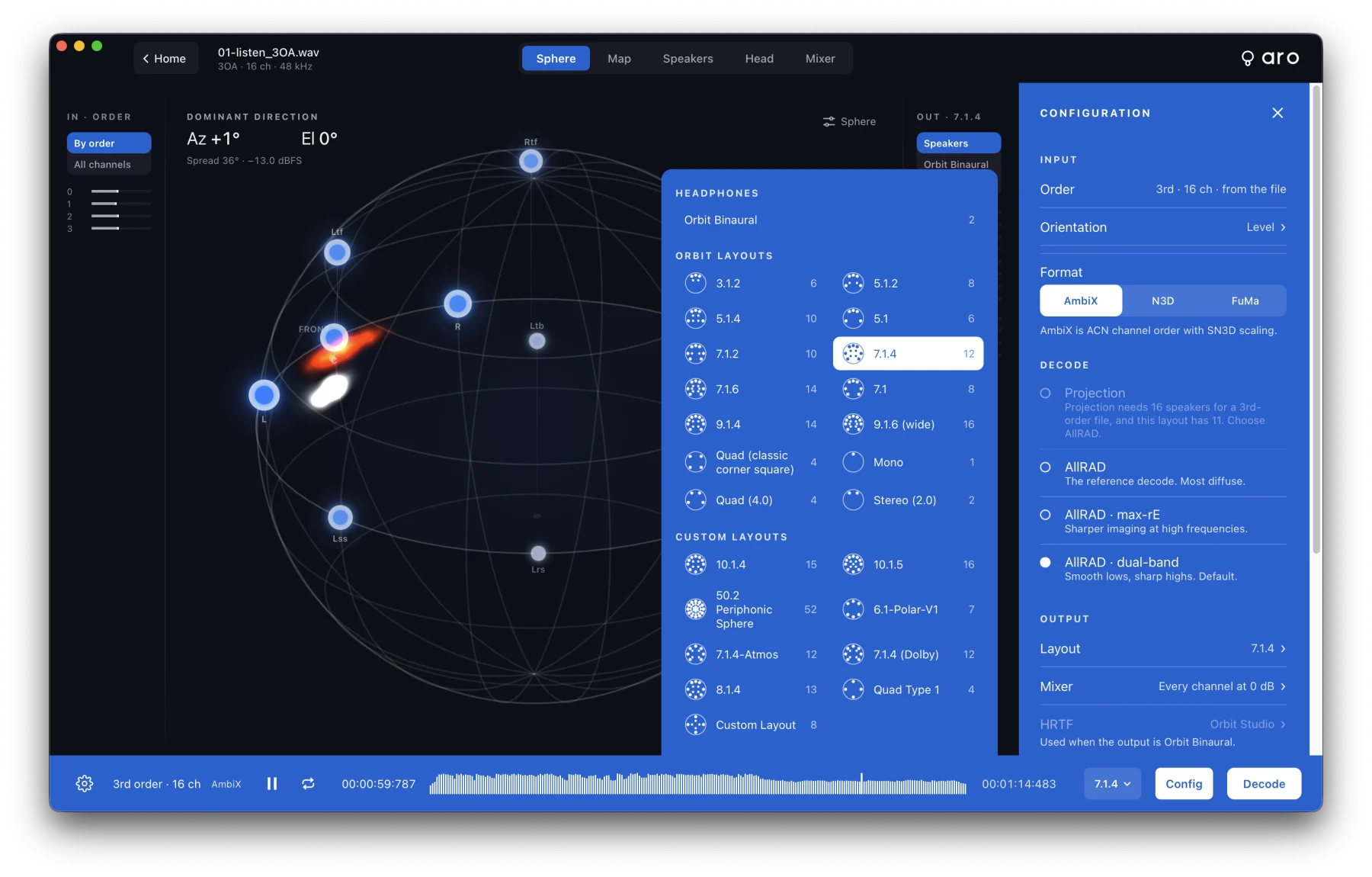
Choose the output from the layout picker in the footer, or from Monitor ▸ Layout:
| Layout | Channels | Layout | Channels | |
|---|---|---|---|---|
| Mono | 1 | 5.1.2 | 8 | |
| Stereo (2.0) | 2 | 5.1.4 | 10 | |
| Quad (4.0) | 4 | 7.1.2 | 10 | |
| Quad (classic corner square) | 4 | 7.1.4 (default) | 12 | |
| 5.1 | 6 | 7.1.6 | 14 | |
| 7.1 | 8 | 9.1.4 | 14 | |
| 3.1.2 | 6 | 9.1.6 (wide) | 16 |
The Headphones row has Orbit Binaural, which decodes to a 2-channel binaural file.
Custom layouts you've imported, such as your own studio's rig, are listed under Custom Layouts, marked Custom. See Speakers & Routing.
Decode modes
| Mode | What it does |
|---|---|
| Projection | Projects the sound field directly onto the speakers. |
| AllRAD | The reference decode. The most diffuse. |
| AllRAD · max-rE | Sharper imaging at high frequencies. |
| AllRAD · dual-band | Smooth lows and sharp highs. The default. |
Projection needs enough speakers for the file's order: at least (order + 1)² speakers, not counting the LFE, with some above ear level, and it works up to 3rd order. When it can't work, it's off with the reason, for example "Projection needs 16 speakers for a 3rd-order file, and this layout has 11. Choose AllRAD." AllRAD works on every layout.
Orientation
Tell Aro how the microphone was mounted, so front is front and up is up. Click Orientation in the Configuration sidebar to open Mic Orientation; a model of a four-capsule microphone on the stage turns with your settings.
- Turn (yaw), −180° to 180°. Positive turns the front to the left.
- Tilt (pitch), −90° to 90°. Positive tips the front up.
- Roll, −180° to 180°. Positive lifts the left side.
- Mount: Upright / Upside down, for a microphone that was mounted upside down.
- Reset to upright, front 0° (⌥⌘0) returns everything to the start.
You hear the change as you drag, with no clicks. A new file always starts upright.
LFE
When you decode to a layout with an LFE channel, Aro can feed the .1 channel from the sound field below the crossover. Click LFE in the Configuration sidebar:
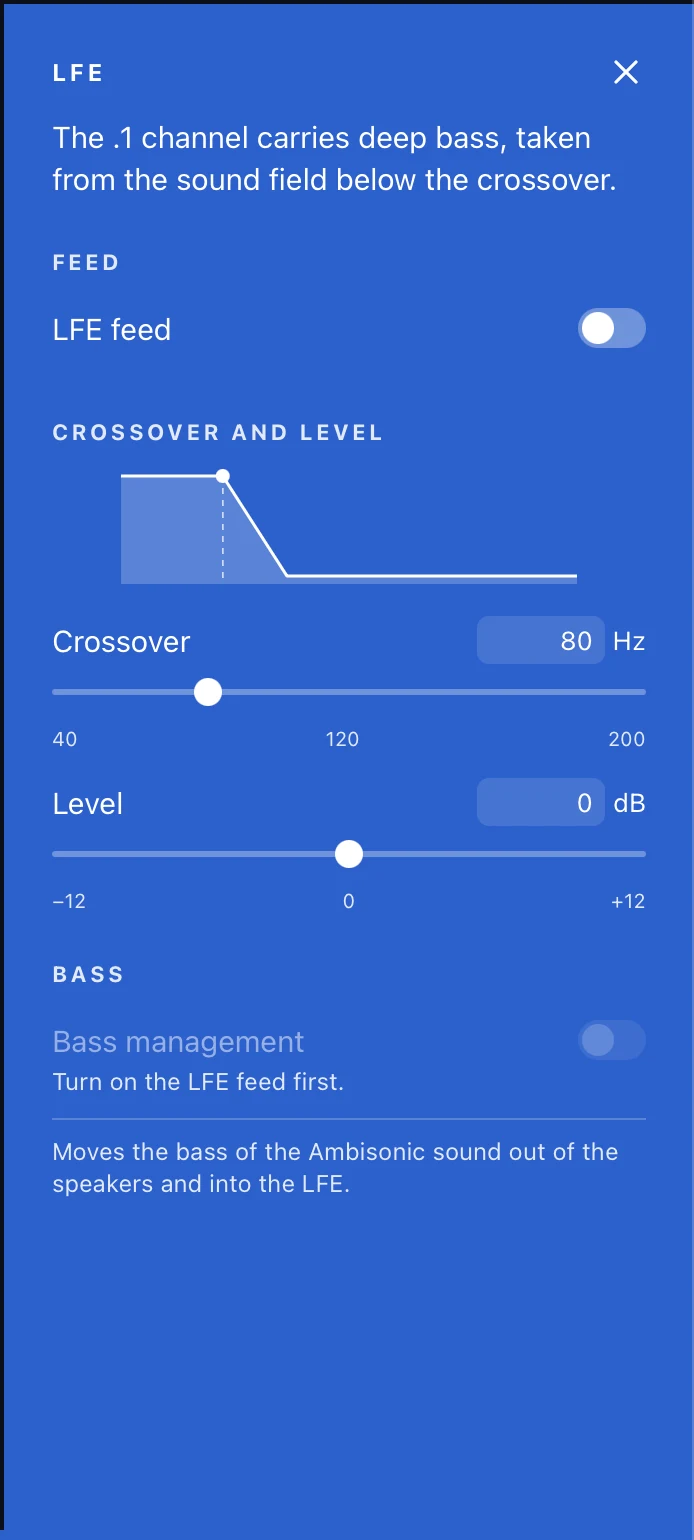
- LFE feed — on or off (off for every new file).
- Crossover — 40 to 200 Hz (default 80 Hz).
- Level — ±12 dB (default 0 dB).
- Bass management — also moves that bass out of the main speakers and into the LFE. Turn on the LFE feed first.
The LFE feed goes into decoded files and is heard in Speakers monitoring. It isn't heard in stereo or Orbit Binaural monitoring. On a layout with no LFE channel the controls are off, with the reason shown. Set the default crossover and level in Preferences ▸ Decode.