
Appearance
Mixer
Every output channel of the layout has a level and a mute, plus a master level. What you hear is what you decode: levels and mutes are heard live and written into the file.
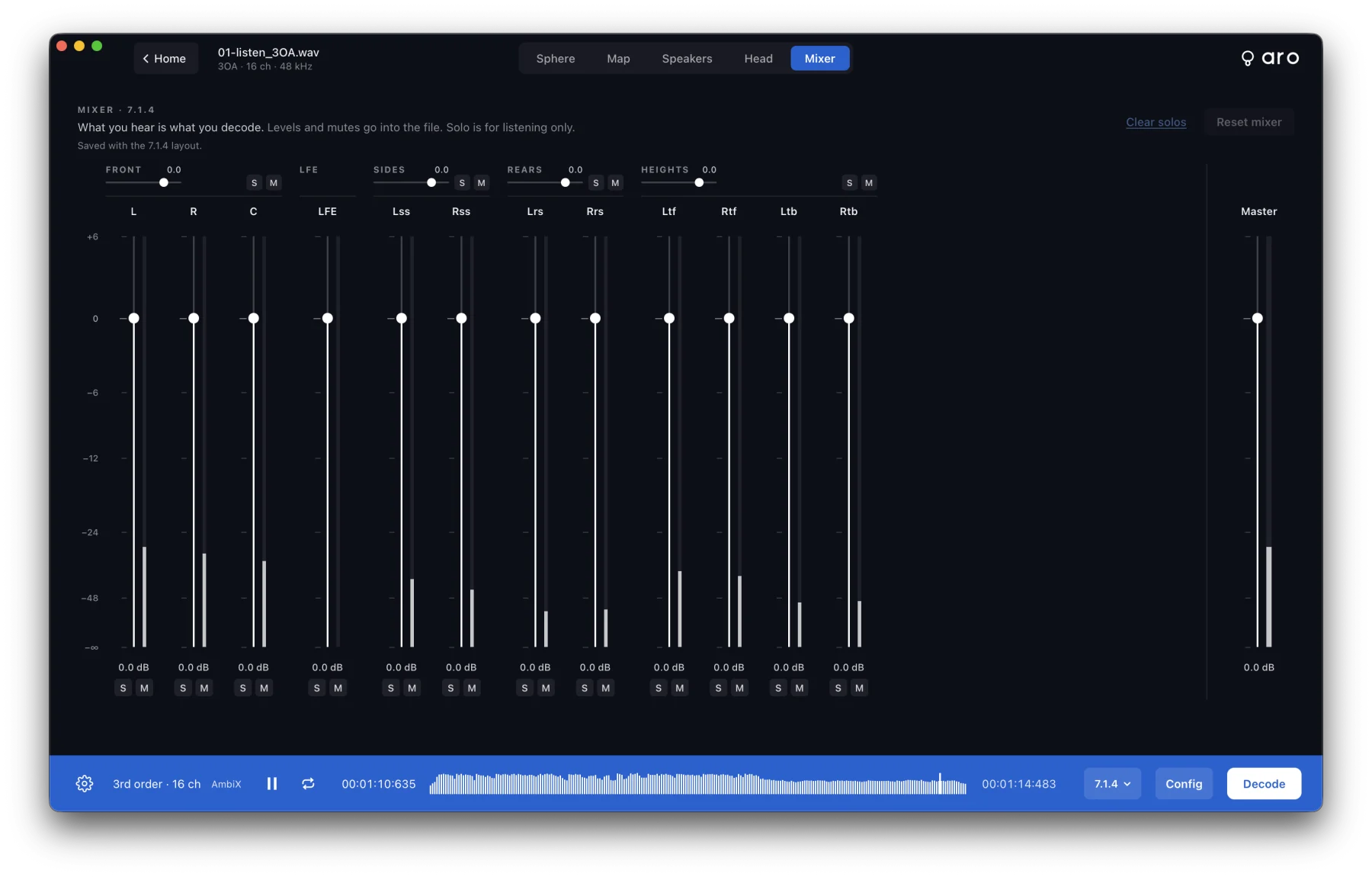
Where it is
- The Mixer tab (⌘5), beside Sphere, Map, Speakers and Head.
- Configuration ▸ Output ▸ Mixer, which opens the same mixer as a sidebar.
- On the Speakers view, click a speaker to solo it, or ⌥-click to mute it.
Levels, mutes and solos
- Levels run from −∞ to +6 dB per channel, plus Master.
- Group faders above the channels — Front, LFE, Sides, Rears and Heights — move every channel in the group together, keeping their balance. Each group has its own S (solo) and M (mute).
- Mute silences a channel. A muted channel is exact digital silence in the file.
- Solo is for listening only and never reaches a file. Solos add up; click again to un-solo. A muted channel stays muted when soloed.
- Reset mixer puts every channel and the master back to 0 dB and clears mutes. Clear solos clears the solos.
When a mixer isn't at 0 dB, the footer says so, for example Mixer: 1 muted, 2 trimmed. Click it to open the mixer.
One mixer per layout
Each layout keeps its own mixer, and Aro remembers it. Switching to 5.1 plays the 5.1 mixer and leaves your 7.1.4 mixer as it was. Solos are never saved; they clear when you open a file or change layout.
Orbit Binaural has a master level only. An Ambisonic file (from a converted recording) has no speakers, so the mixer doesn't apply.
In the file
In a decoded file the mixer comes after the decode and the LFE, and before loudness, the limiter and sample-rate conversion. With Normalise on, the master level is cancelled out by the normalise gain, but the balance between channels and any mutes still shape the file.
If a channel is muted when you press Decode, Aro asks first: Decode anyway, Reset mixer and decode, or Back to the mixer. Batch asks the same way when any layout it uses has a muted channel.