
Appearance
Preferences
Open Preferences with Aro ▸ Settings… (⌘,) or the gear at the left of the footer. Opening Preferences never interrupts a decode or a batch. A control that can't work is shown switched off, with the reason.
Account & Licence
- Account — the email you're signed in with, and Sign out. Signing out gives this Mac's licence back.
- Licence — your plan and how many Macs are in use, for example "Aro · 2 of 3 Macs in use", or the days left in a trial.
- Licence key — Enter a key… for a licence from before accounts.
- This Mac — Deactivate frees this Mac's seat.
- Manage your account on the web opens your Orbit Spatial account.
See Licensing.
Speakers
Patch the layout's speakers to your interface's outputs, and test the wiring with pink noise. See Speakers & Routing.
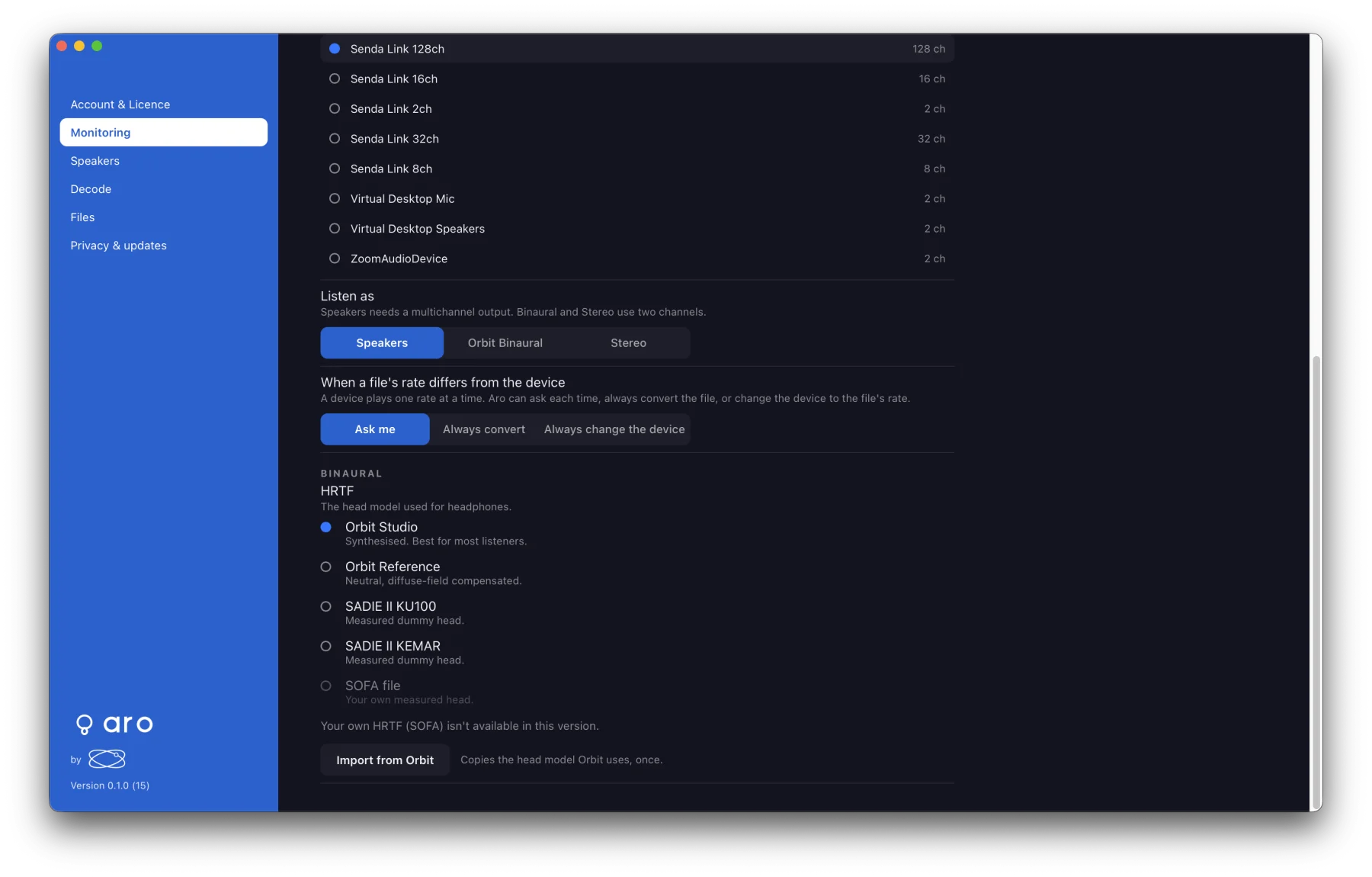
Monitoring
- Output — your output device. Aro remembers it, even across restarts.
- Listen as — Stereo, Orbit Binaural or Speakers. See Monitoring.
- HRTF profile — for Orbit Binaural, and Import from Orbit.
- When a file's rate differs from the device — Ask me, Always convert or Always change the device.
Decode
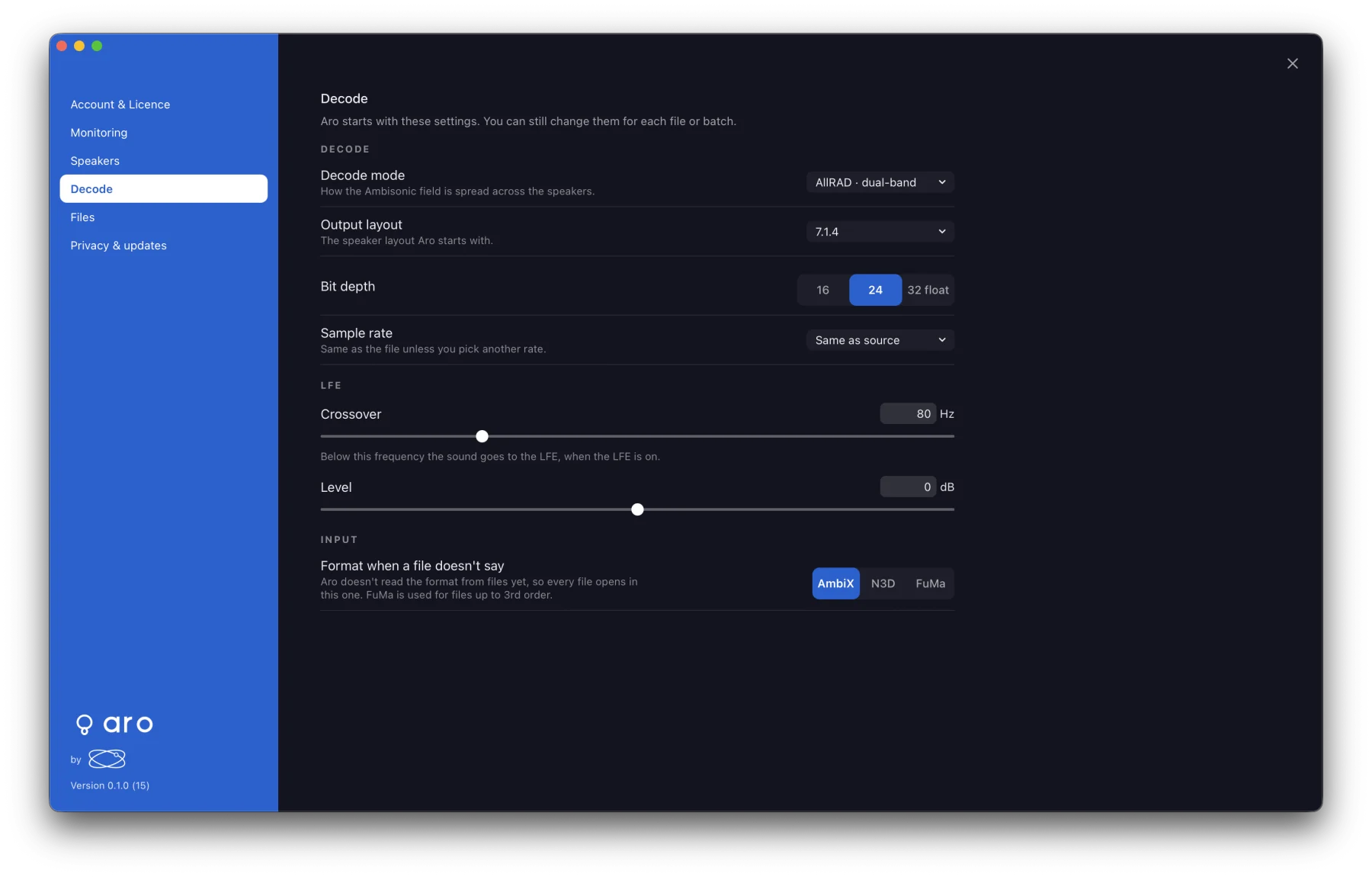
What Aro starts with. You can still change each setting for a file or a batch, and changing a default never changes the file that's open.
- Decode mode — default AllRAD · dual-band.
- Output layout — any layout, or Orbit Binaural. Default 7.1.4.
- Bit depth — default 24-bit.
- Sample rate — default Same as source.
- LFE — the starting crossover and level. The LFE feed itself is always off for a new file.
- Format when a file doesn't say — AmbiX (default), N3D or FuMa. A file that says it's FuMa opens as FuMa whatever you choose here.
Files
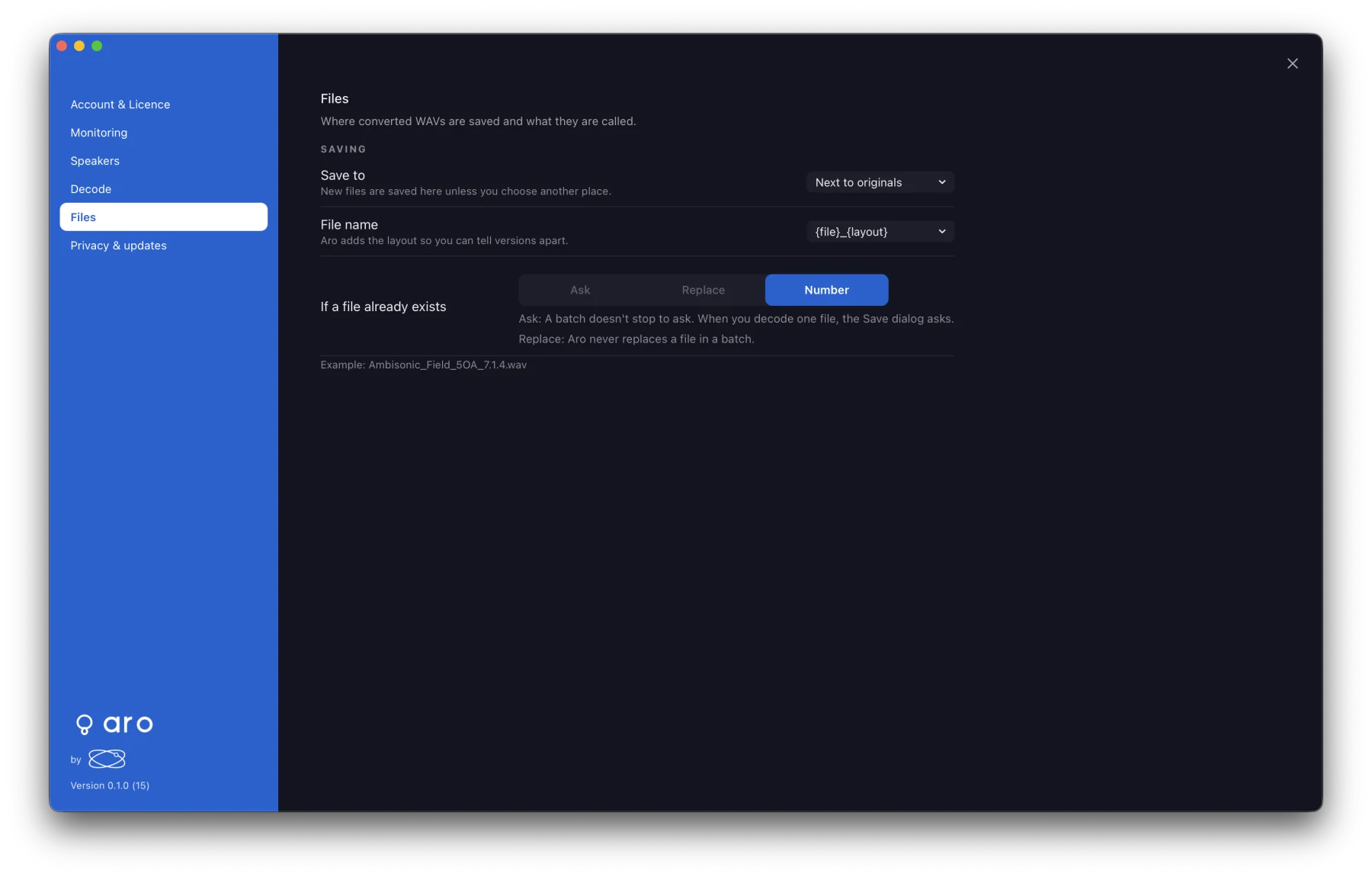
- Save to — Next to originals (default), or a folder you choose. Single decodes and batches both start here.
- File name —
{file}_{layout}(default) or{file} · {layout}. Example shows the result. - If a file already exists — Number. A batch never replaces a file; for a single decode, the Save dialog asks.
Privacy & updates
- Share usage data — off unless you turn it on. See Data & Privacy.
- Privacy policy — opens policy.orbitspatial.io.
- Check for updates — the last answer and Check now. See Updates.
- Version — for example "1.0.0 beta (build 16)".