
Appearance
Opening Files
Ways to open a file
- Open Ambisonic WAV… on the welcome screen's Ambisonics card, Open file… in the footer, or File ▸ Open… (⌘O).
- Drag a WAV onto the window. One file opens it; several files dropped on the welcome screen's Batch card start a batch.
- In Finder, Open With ▸ Aro, or drop a file on Aro's Dock icon.
- File ▸ Open Recent.
Opening another file stops the one that's playing.
What Aro reads
Aro reads multichannel WAVs of Ambisonic order 1 to 7:
| Order | Channels |
|---|---|
| 1 | 4 |
| 2 | 9 |
| 3 | 16 |
| 4 | 25 |
| 5 | 36 |
| 6 | 49 |
| 7 | 64 |
It also opens Mid-Side, Double Mid-Side and A-format recordings. See Mid-Side & A-format.
Once a file is open, the file chip in the top bar shows its name over a short info line, such as 3OA · 16 ch · 48 kHz.
Channel format
Ambisonic files come in different channel orders and normalisations, and a plain WAV doesn't record which one it uses. Choose it in Configuration ▸ Format:
- AmbiX (ACN channel order, SN3D normalisation) — the default, and what most tools and libraries use today.
- N3D — ACN order with N3D normalisation.
- FuMa — the older B-format convention, up to 3rd order. FuMa itself stops at 3rd order, so a higher-order file set to FuMa is refused: "FuMa is defined up to 3rd order. Choose AmbiX or N3D."
A file that says it's FuMa (a .amb file, or a WAV carrying the B-format marker) opens as FuMa, and the Format section reads Read from the file: FuMa. You can still choose another. To change what a plain WAV opens as, set Preferences ▸ Decode ▸ Format when a file doesn't say.
Changing the format reads the file again. If it's playing, playback carries on after a short gap.
"What is this file?"
Some channel counts could mean more than one thing. A 4-channel file could be first-order Ambisonics or an A-format recording; a 2-channel file could be Mid-Side. Aro never decides for you. It shows What is this file?, lists what the file could be with a Suggested choice first and a plain reason for each, and lets you pick. Aro suggests; you decide.
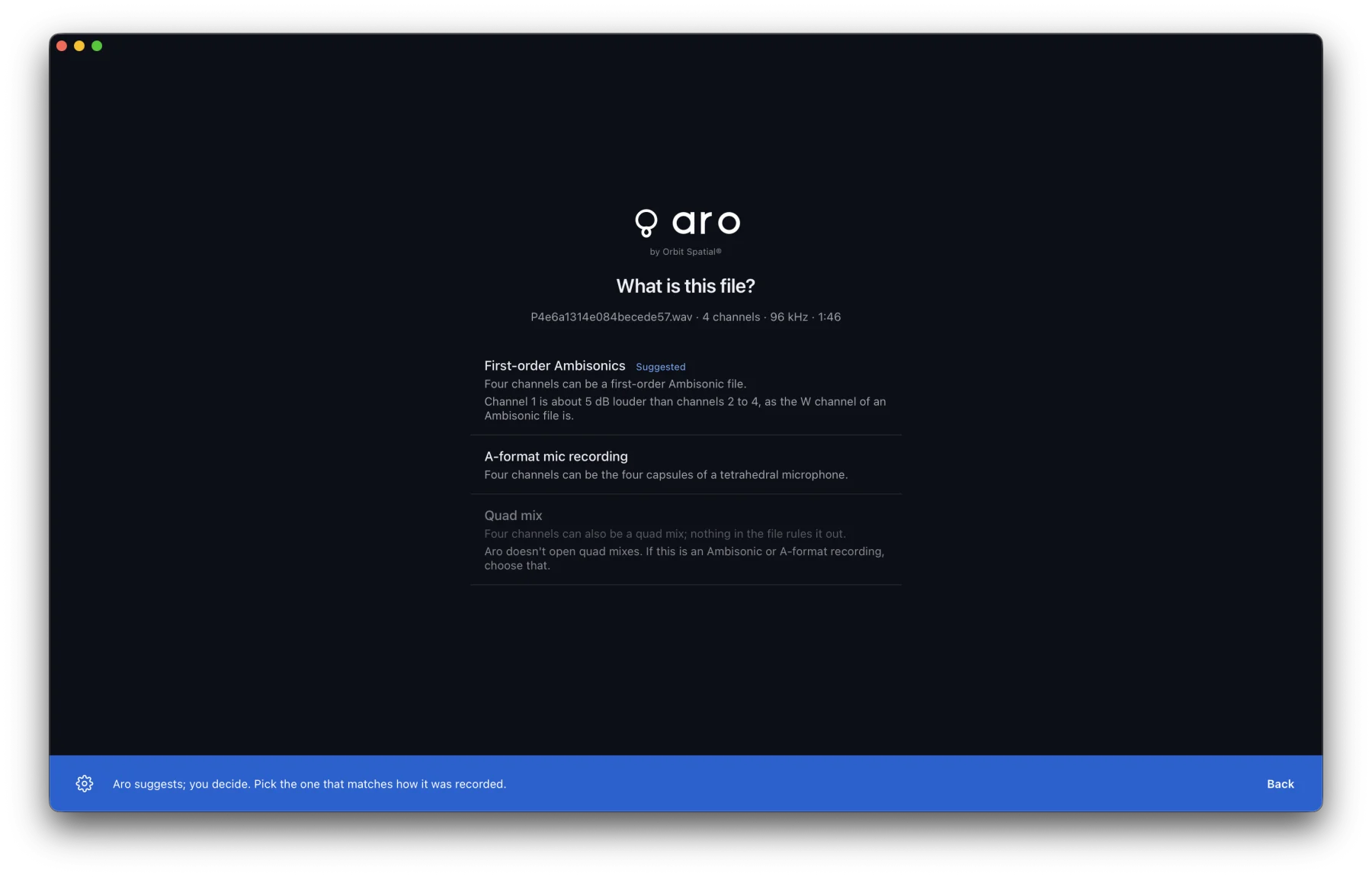
A one-channel file is treated as one microphone of a recording kept as separate files: Aro asks which recording it belongs to, opens it, and you add the others. See Combining Files.
Sample rate
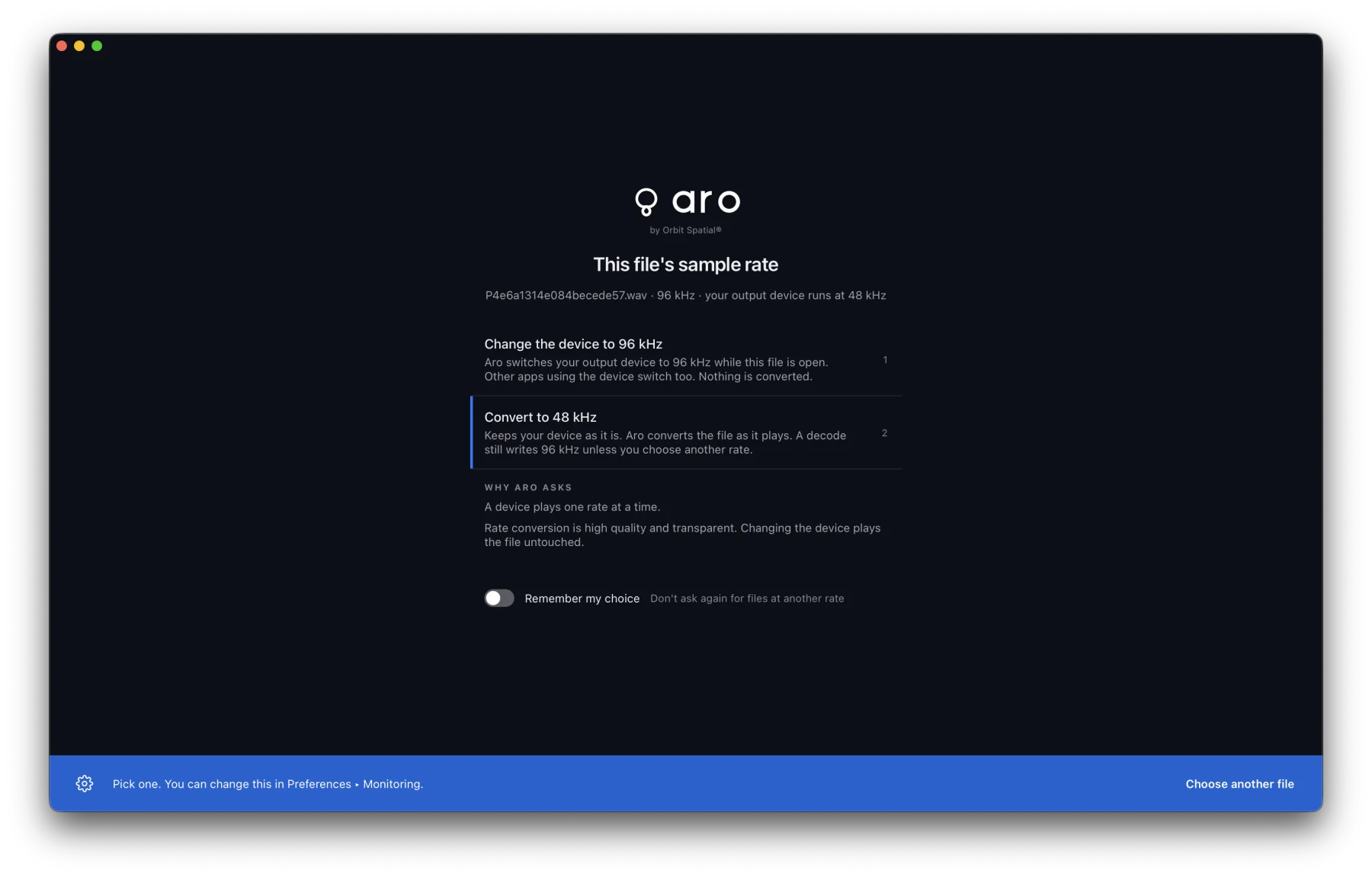
A device plays one rate at a time. When a file's sample rate differs from your output device's, Aro shows This file's sample rate and asks:
- Change the device to the file's rate. Nothing is converted, but other apps using the device switch too.
- Convert to the device's rate. Your device stays as it is and Aro converts the file as it plays. A decode still writes the file's own rate unless you choose another.
Press 1 or 2 to choose. Turn on Remember my choice to stop being asked, and change it later in Preferences ▸ Monitoring. Aro puts the device back to its own rate when the file closes and when you quit.
Files Aro refuses
Aro says why in plain words. For example:
- A channel count that isn't an Ambisonic order, such as 20 channels: "20 channels is not an Ambisonic order".
- Orders above 7th (more than 64 channels).
- A plain stereo mix. If it's really a Mid-Side recording, choose Mid-Side.