
Appearance
Metering Preferences
Choose the meter scale and look. The Metering panel covers two questions: what reference level the level meters use, and how they're styled. The loudness meters (Integrated, Short-term, Momentary) follow ITU-R BS.1770 regardless of these settings — the toggles here only control whether they're shown and which level scale the peak-style meters use.
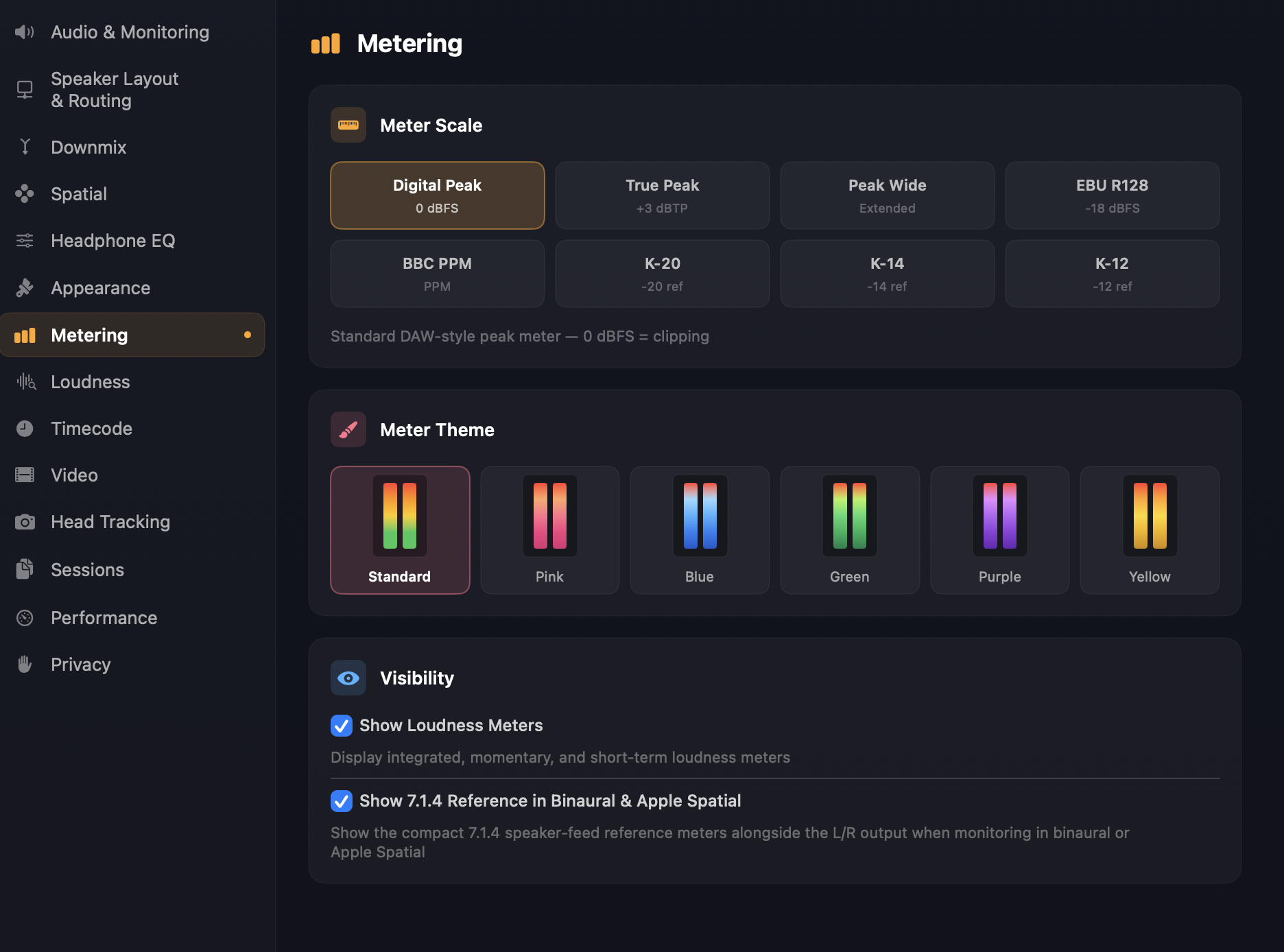
Meter scale
Eight options for the level-meter scale. The right one depends on the kind of work you're doing — broadcast, music mastering, K-system mixing — and what reference levels your delivery spec asks for.
Digital Peak — 0 dBFS at the top, sample-accurate peak detection. The default and what most DAWs show. Best for catching clipping in a digital chain.
True Peak — 0 dBFS at the top, with 4× oversampling to catch inter-sample peaks that digital peak misses. The right choice for delivery — broadcast specs require true peak measurement.
Peak Wide — same as Digital Peak but with a wider headroom view (more visible range below 0 dBFS). Useful when you need to see low-level content in detail.
EBU R128 — 0 LUFS at the top, calibrated for EBU R128 deliverables (typically −23 LUFS target). Reads in LUFS rather than dBFS.
BBC PPM — Peak Programme Meter scale (1–7 with PPM 6 ≈ 0 dBu). The classic BBC broadcast scale; familiar to anyone who's worked in UK / European broadcast.
K-20 — Bob Katz's K-system, K-20 variant. 0 K = −20 dBFS reference. Designed for film and wide-dynamic-range mixing.
K-14 — K-system, K-14 variant. 0 K = −14 dBFS reference. Designed for pop and rock mastering.
K-12 — K-system, K-12 variant. 0 K = −12 dBFS reference. Designed for broadcast and online streaming with tighter headroom.
TIP
If your delivery spec mentions a target loudness in LUFS, use EBU R128 here. If it mentions dBTP for true peak ceiling, you can use either Digital Peak or True Peak — True Peak is more accurate but slightly more CPU.
Meter theme
Six palettes for how the level meters are coloured: Standard (the default green-yellow-red scale), plus solid Pink, Blue, Green, Purple, and Yellow options that match the Object and Waveform Theme accents on the Appearance page. Each preview shows a small two-bar swatch so you can see the gradient before committing.
Visibility
Show Loudness Meters — toggles the Integrated / Short-term / Momentary / LRA / True Peak loudness panel. On by default. Turn off when you're doing pure level work and don't want the additional vertical space taken up by the loudness panel.
Show 7.1.4 Reference in Binaural & Apple Spatial — when monitoring in Binaural or Apple Spatial mode, this option also shows the compact underlying 7.1.4 speaker-feed meters alongside the L/R output as a reference. On by default. Useful when you want to see what the spatial mix is doing channel-by-channel even though you're listening through headphones.
See also
- Monitoring — selecting between speaker, binaural, stereo, and Apple Spatial monitoring.
- Spatial — the height-weighting setting that affects integrated loudness measurement.