
Appearance
Spatial Preferences
The Spatial panel governs how Orbit interprets and renders the various spatial-audio elements in an ADM or IAMF file: ambisonic scenes, beds, objects, and the loudness weighting applied to height channels. Most of these settings have a "right" answer for a given workflow — broadcast versus music, IAMF versus ADM, reference monitoring versus QC sweep — and getting them wrong can shift levels by a couple of dB without changing anything else visible on screen, so it's worth knowing what each one does.
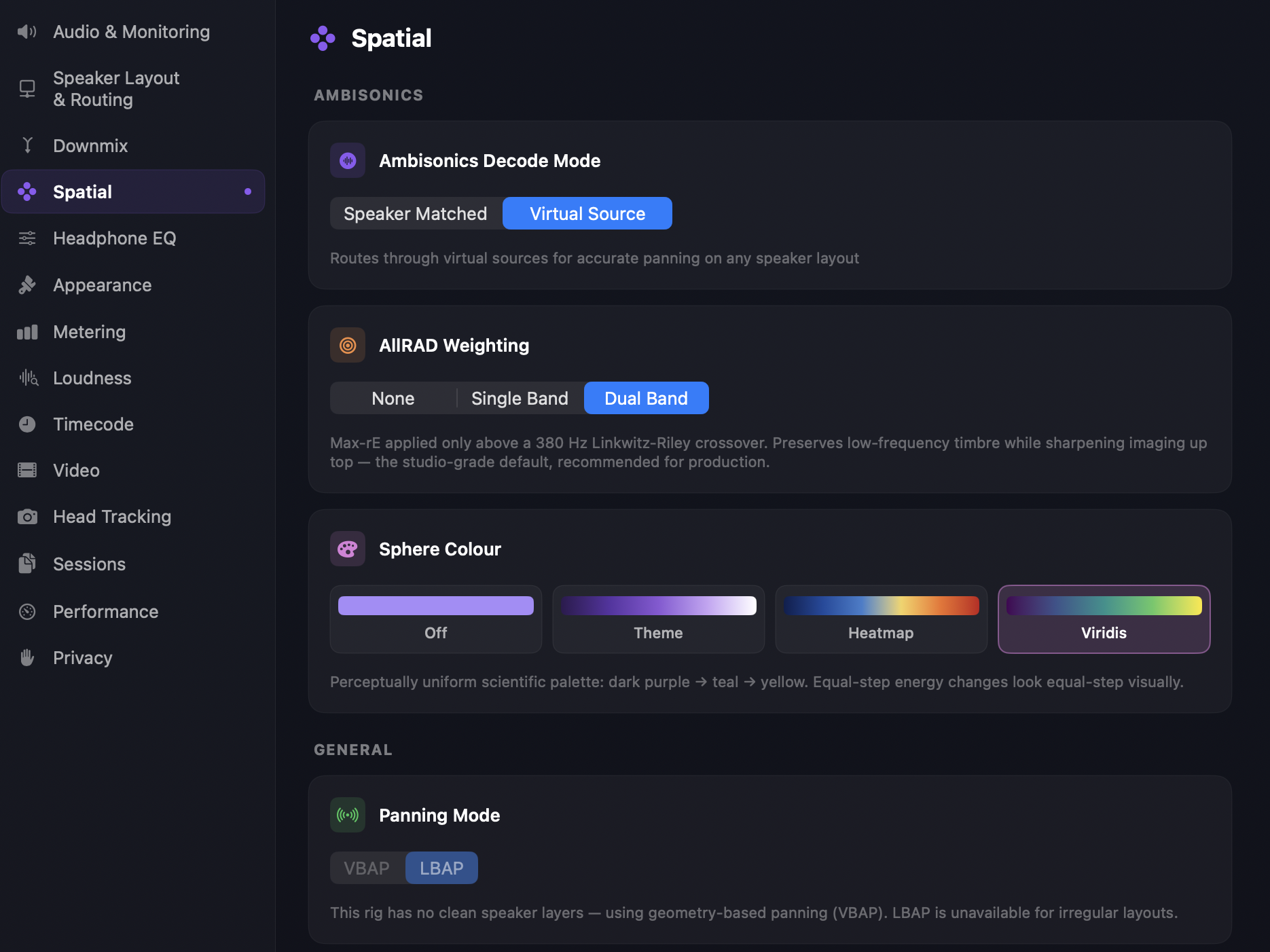
Ambisonics
These controls affect how Higher-Order Ambisonics (HOA) groups are decoded onto the 7.1.4 speaker layout.
Decode Mode — two approaches. Speaker Matched (Projection) is a direct sampling decoder that matches each speaker to a virtual sample point on the sphere; simple, low-CPU, and predictable. Virtual Source (AllRAD) routes through virtual sources for accurate panning on any speaker layout, using a t-design grid of virtual loudspeakers and energy-preserving panning; gives a smoother, more uniform energy distribution at the cost of a small amount of localization sharpness. Default is Virtual Source.
AllRAD Weighting — only visible when Decode Mode is set to Virtual Source. Three options: None (no max-rE compensation), Single Band (broadband max-rE applied across the whole spectrum), and Dual Band (max-rE applied only above a 380 Hz Linkwitz-Riley crossover — preserves low-frequency timbre while sharpening imaging up top). Dual Band is the studio-grade default, recommended for production.
Sphere Colour — a purely visual control that picks the palette used to colour the Ambisonics sphere in the 3D scene. Off uses a flat purple, Theme follows your object theme accent, Heatmap maps energy to a red-yellow gradient, and Viridis uses the perceptually uniform scientific palette (dark purple → teal → yellow), where equal-step energy changes look equal-step visually.
Beds and objects
Docs in progress - due to be available by 6th July 2026
Coverage Map
A live visualization of per-speaker panning gains for the currently loaded rig, available wherever Panning Mode is shown. It tells you which algorithm is actually in effect — not just which one is selected — since VBAP/LBAP availability depends on the layout.
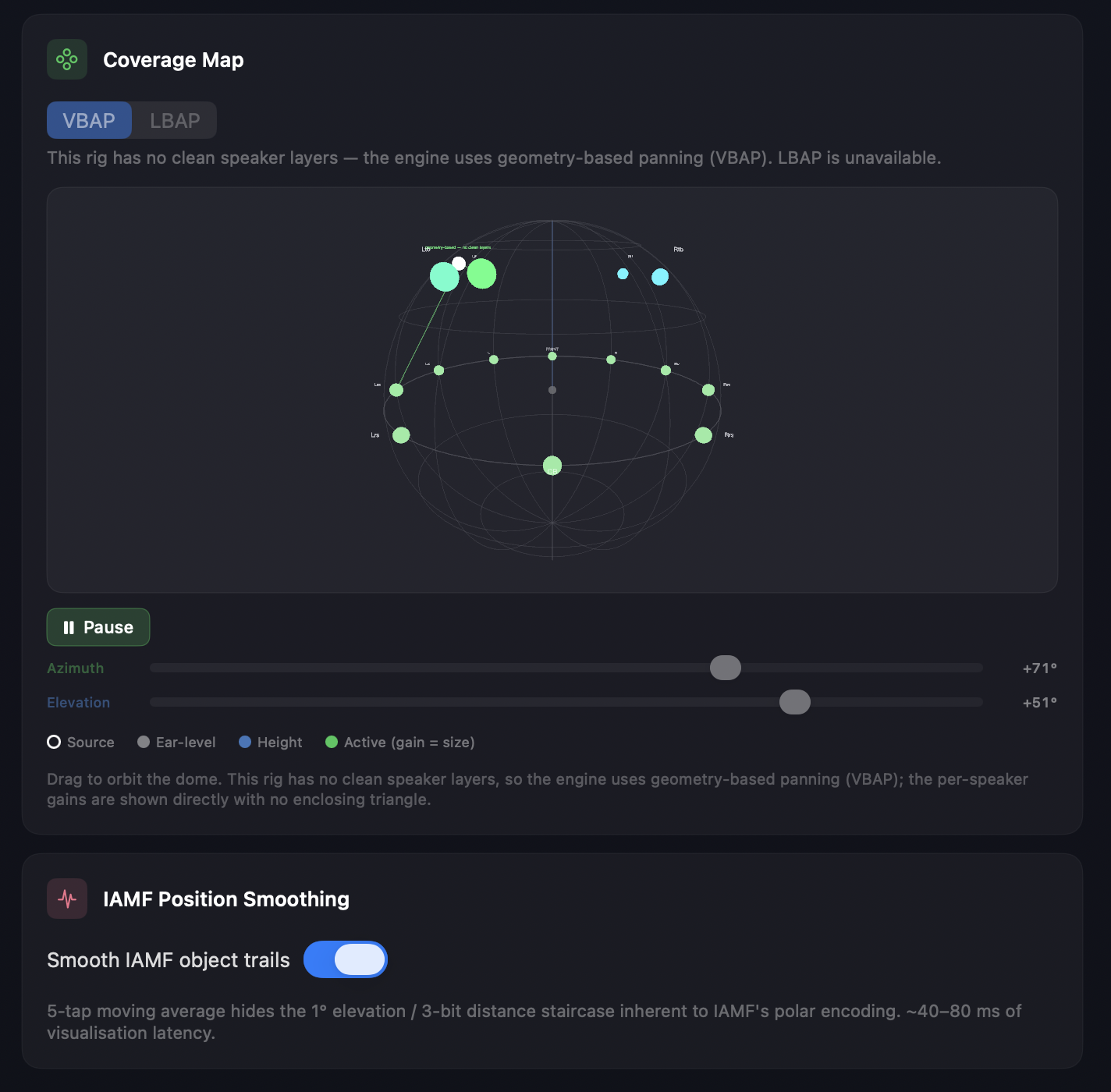
Drag to orbit the dome, or use the Azimuth / Elevation sliders (with Pause) to sweep a test source around the listener and watch which speakers activate. The legend marks four point types: the hollow Source ring is the panned position being tested; grey Ear-level and blue Height dots mark reference speaker positions; green Active dots are speakers currently contributing, sized by gain. When a rig has no clean speaker layers, gains are shown directly with no enclosing triangle, since VBAP works from ray geometry rather than layer interpolation.
IAMF playback
Position Smoothing ("Smooth IAMF object trails") — toggles a five-tap moving average applied to IAMF object position trajectories. IAMF's polar encoding quantizes elevation to 1° increments and distance to 3 bits (8 steps), which produces a visible "staircase" as an object moves slowly. The smoothing filter hides the staircase at the cost of roughly 40–80 ms of latency on the position data (audio is unaffected). Default is on. This toggle sits directly below the Coverage Map in the panel.
Due to be removed in Orbit 1.5.3
Position Smoothing is scheduled for removal in 1.5.3. This page will be updated once that lands.
See also
- Monitoring — selecting between the four monitoring modes.
- Metering — the integrated/momentary/short-term loudness meters that consume the height-weighting setting.