
Appearance
Timecode Preferences
How time is displayed across the transport, timeline, and ruler. The Timecode panel covers the format you read time in (HMS or SMPTE), the frame rate that SMPTE uses, and a couple of behavioural options for how playback handles the head and the loop.
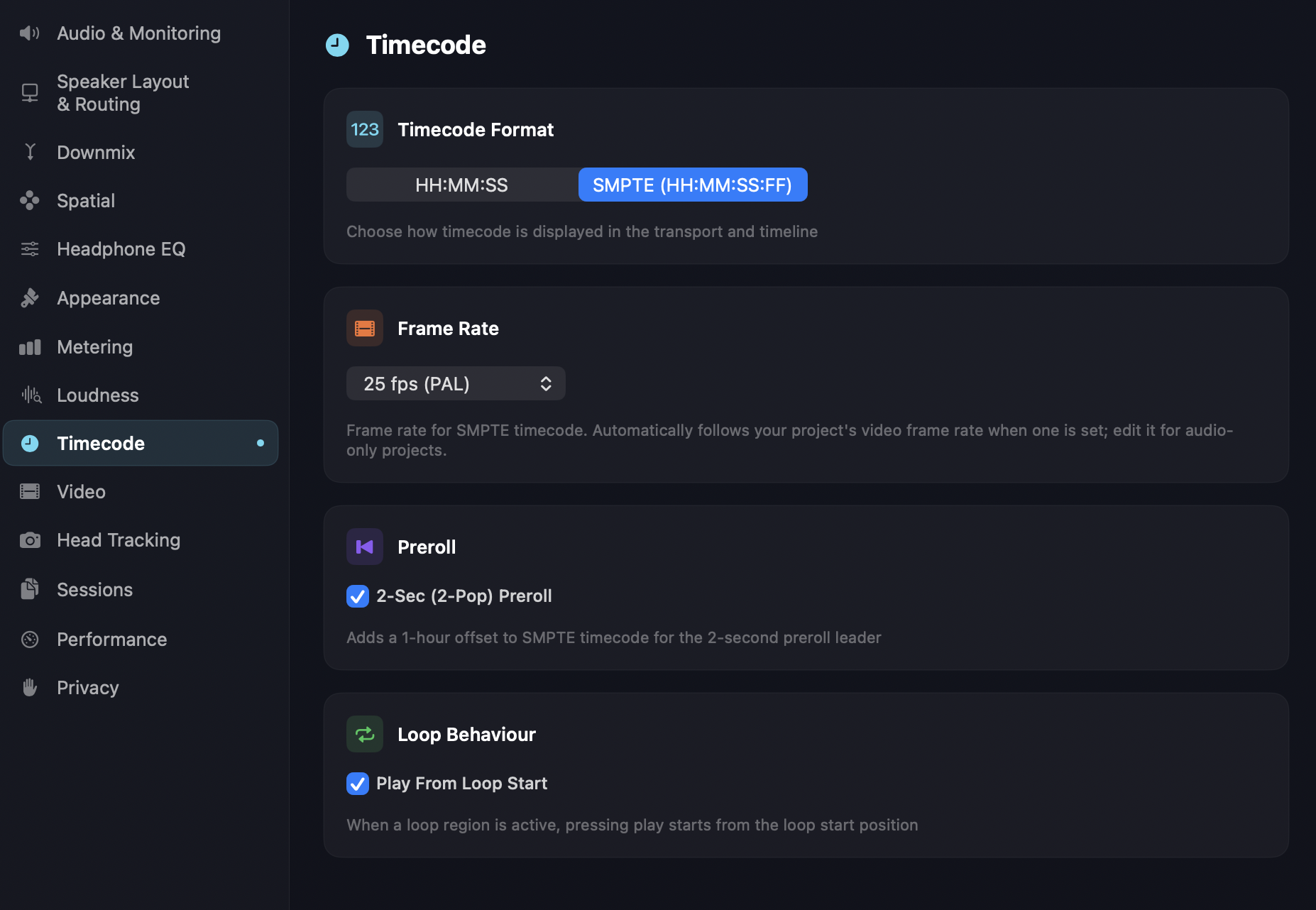
Format
HH:MM:SS — hours, minutes, and seconds (01:23:45). Good for music workflows where the absolute time-of-day doesn't matter and you just want to know how far into the file you are.
SMPTE (HH:MM:SS:FF) — SMPTE timecode at the selected frame rate. The default. Use this whenever you're working to picture, comparing notes with a video editor, or your delivery spec calls for SMPTE.
The chosen format applies to the transport readout, the timeline ruler, and any timecode displays in the loudness panel.
Frame rate
A dropdown for the SMPTE frame rate — see Timecode display options for the full list and which rate to use for film, broadcast, or online delivery. It automatically follows your project's video frame rate when one is set (see Video); edit it directly for audio-only projects. The picker is shown regardless of the Format setting above, but it only takes effect when Format is set to SMPTE — HH:MM:SS mode doesn't use frame-based timecode at all.
TIP
If timecode "looks right" but is drifting visibly against picture, the frame rate here is almost always the culprit.
Preroll
2-Sec (2-Pop) Preroll — when on, Orbit treats SMPTE timecode 01:00:00:00 as the start of the programme content, with a two-second leader (the "2-pop" reference tone) preceding it. This is the canonical broadcast convention for handing off to a video editor: the ADM file starts at 00:59:58:00 with the 2-pop, and the picture cuts in at 01:00:00:00. Adds a 1-hour offset to SMPTE timecode for the preroll leader.
When on, SMPTE starts from 00:59:58:00 (the 2-second 2-pop leader), with programme content beginning at 01:00:00:00. When off, SMPTE starts from 01:00:00:00 with no leader offset.
This setting only applies when Format is set to SMPTE — it doesn't change the audio, and it only changes how transport positions are labelled; the playhead lands in the same place either way. In HH:MM:SS mode there's no 2-pop offset to show, so timecode always counts from 00:00:00 regardless of this setting. Default is on.
Loop behaviour
Play From Loop Start — when a loop region is active, pressing Play starts playback from the loop start position rather than from the current playhead position.
Pro
Looping is an Orbit Pro feature. This option has no effect without a Pro licence.
On by default — every Play press drops you back to the loop start, which is usually what you want for QC work where you're repeatedly checking the same region. Turn off if you'd rather Play resume from wherever the playhead currently is, with loop entry happening naturally once the playhead reaches the loop start.