
Appearance
Metering Preferences
Choose the meter scale and look. The Metering panel covers two questions: what reference level the level meters use, and how they're styled. The loudness meters (Integrated, Short-term, Momentary) follow ITU-R BS.1770 regardless of these settings — the toggles here only control whether they're shown and which level scale the peak-style meters use.
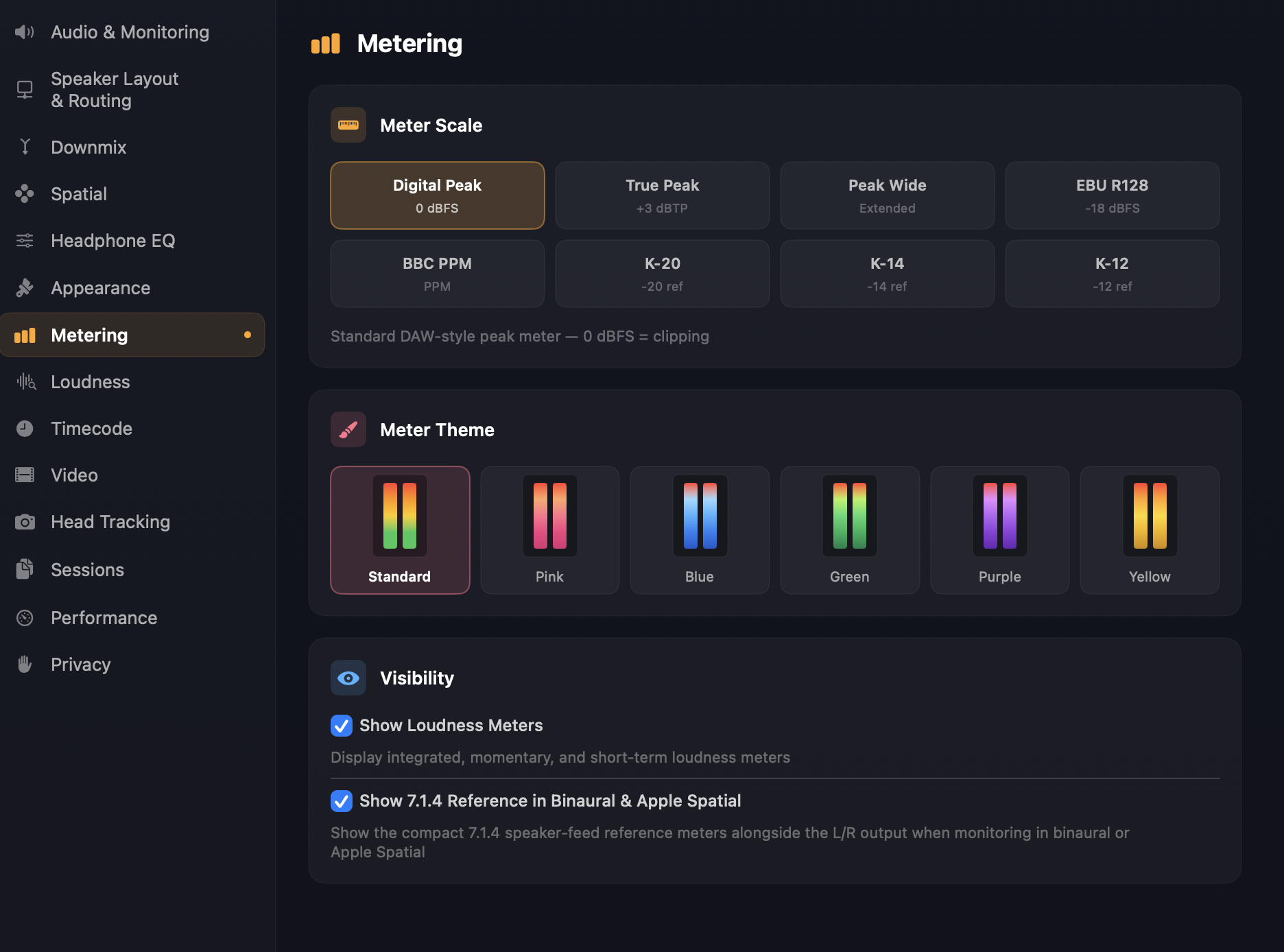
Meter scale
Eight options for the level-meter scale. The right one depends on the kind of work you're doing — broadcast, music mastering, K-system mixing — and what reference levels your delivery spec asks for.
Digital Peak — 0 dBFS at the top, sample-accurate peak detection. The default and what most DAWs show. Best for catching clipping in a digital chain.
True Peak — extends the top of the meter to +3 dBFS so inter-sample headroom above 0 dBFS is visible. It rescales the meter only: the bars are the same peak feed as Digital Peak, not oversampled. The oversampled true-peak figure is the TP readout in the loudness meters.
Peak Wide — same as Digital Peak but with a wider headroom view (more visible range below 0 dBFS). Useful when you need to see low-level content in detail.
EBU R128 — a level scale with 0 at −18 dBFS, the EBU R68 alignment level ("EBU R128 broadcast meter — -18 dBFS reference"). Labels are relative to that point; it's still a level meter, not a LUFS readout.
BBC PPM — Peak Programme Meter alignment, with 0 at −18 dBFS (the PPM 4 digital line-up) and labels relative to that point. Familiar to anyone who's worked in UK / European broadcast.
K-20 — Bob Katz's K-system, K-20 variant. 0 K = −20 dBFS reference. Designed for film and wide-dynamic-range mixing.
K-14 — K-system, K-14 variant. 0 K = −14 dBFS reference. Designed for pop and rock mastering.
K-12 — K-system, K-12 variant. 0 K = −12 dBFS reference. Designed for broadcast and online streaming with tighter headroom.
TIP
The meter scale changes how the level meters are drawn, not how loudness is measured. For a LUFS target, read the Integrated / Short-term / Momentary loudness meters; for a dBTP ceiling, read their TP value — the level meters on any scale, True Peak included, aren't oversampled.
Meter theme
Six palettes for how the level meters are coloured: Standard (the default green-yellow-red scale), plus solid Pink, Blue, Green, Purple, and Yellow options that match the Object and Waveform Theme accents on the Appearance page. Each preview shows a small two-bar swatch so you can see the gradient before committing.
Visibility
Show Loudness Meters — toggles the Integrated / Short-term / Momentary / LRA / True Peak loudness panel. On by default. Turn off when you're doing pure level work and don't want the additional vertical space taken up by the loudness panel.
Show 7.1.4 Reference in Binaural & Apple Spatial — when monitoring in Binaural or Apple Spatial mode, this option also shows the compact underlying 7.1.4 speaker-feed meters alongside the L/R output as a reference. On by default. Useful when you want to see what the spatial mix is doing channel-by-channel even though you're listening through headphones.
See also
- Monitoring — selecting between speaker, binaural, stereo, and Apple Spatial monitoring.
- Loudness — the height-weighting setting (Preferences ▸ Loudness ▸ Height Weighting) that affects integrated loudness measurement.