
Appearance
Overview Waveform View
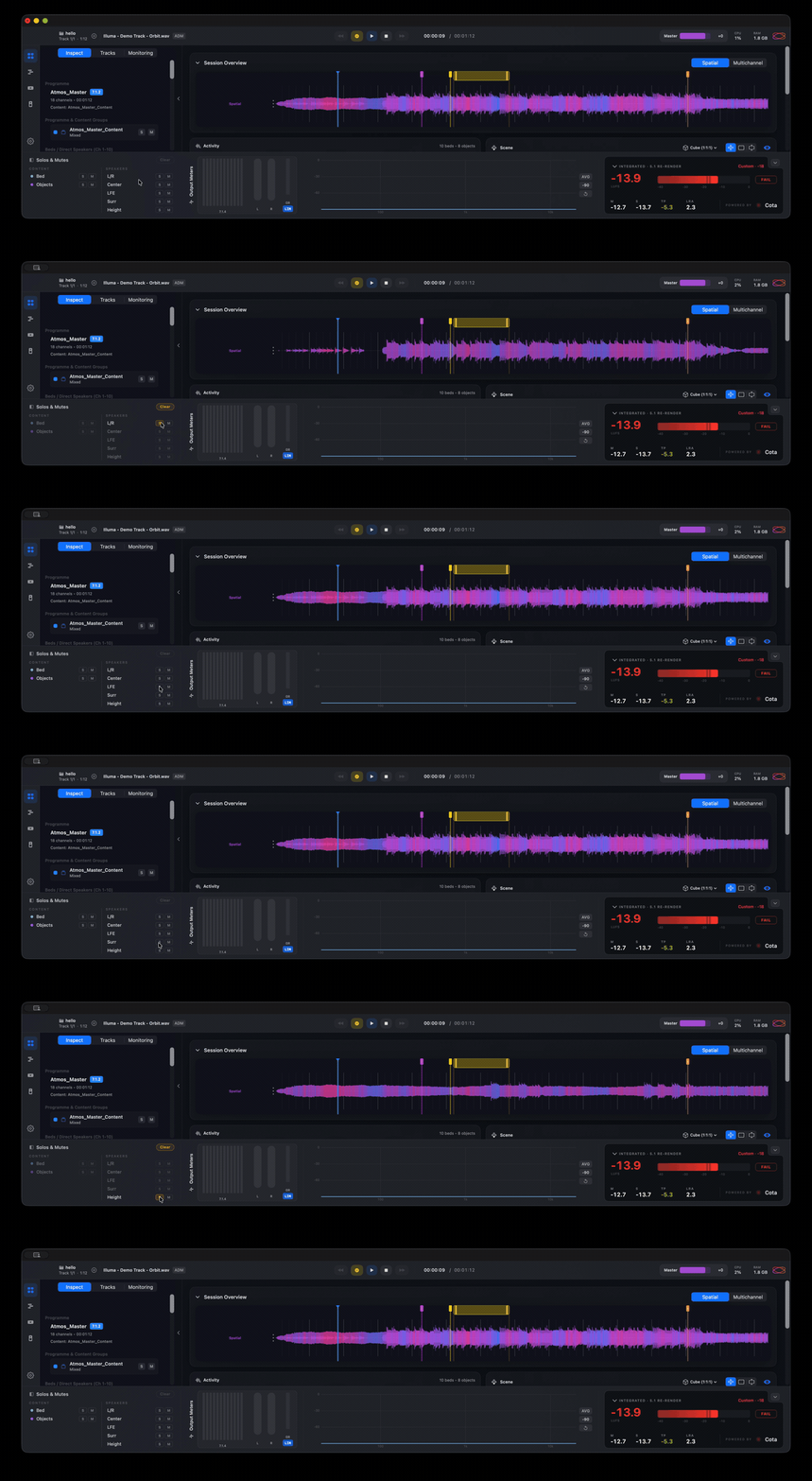
The waveform shown in the Session Overview comes in two forms — the Spatial Waveform and the Multichannel Waveform — switched with the Spatial / Multichannel toggle at the top of the overview. It's on the Overview page, so it's available in every edition of Orbit.

How the waveforms are generated
Both waveforms are derived by calculating all spatial movement and panning through Orbit's built-in 7.1.4 bus — the same bus that feeds Binaural, Apple Spatial and Stereo. An extremely fast, state-of-the-art waveform scanner simulates playback of the whole file and generates waveforms for every channel of the 7.1.4 layout.
Spatial Waveform
In Spatial, the channel waveforms are stacked on top of each other in groups:
- L / R
- C
- LFE
- Surrounds
- Heights
Alongside them, a spatial information strip shows the weight of the content to the left or right of the spatial field, so you can read the balance of the mix at a glance.
Colour
The waveform colour can be changed in Preferences → Appearance. Here at Orbit Spatial we like the purple theme — but that's only because our founder is obsessed with purple. We know.
Soloing
The Spatial Waveform shows the soloed waveform when you solo a channel — but only when Binaural, Apple Spatial or Stereo monitoring is selected. (Multichannel monitoring uses a completely different bus, so soloing doesn't apply to the spatial view there.)
Multichannel Waveform
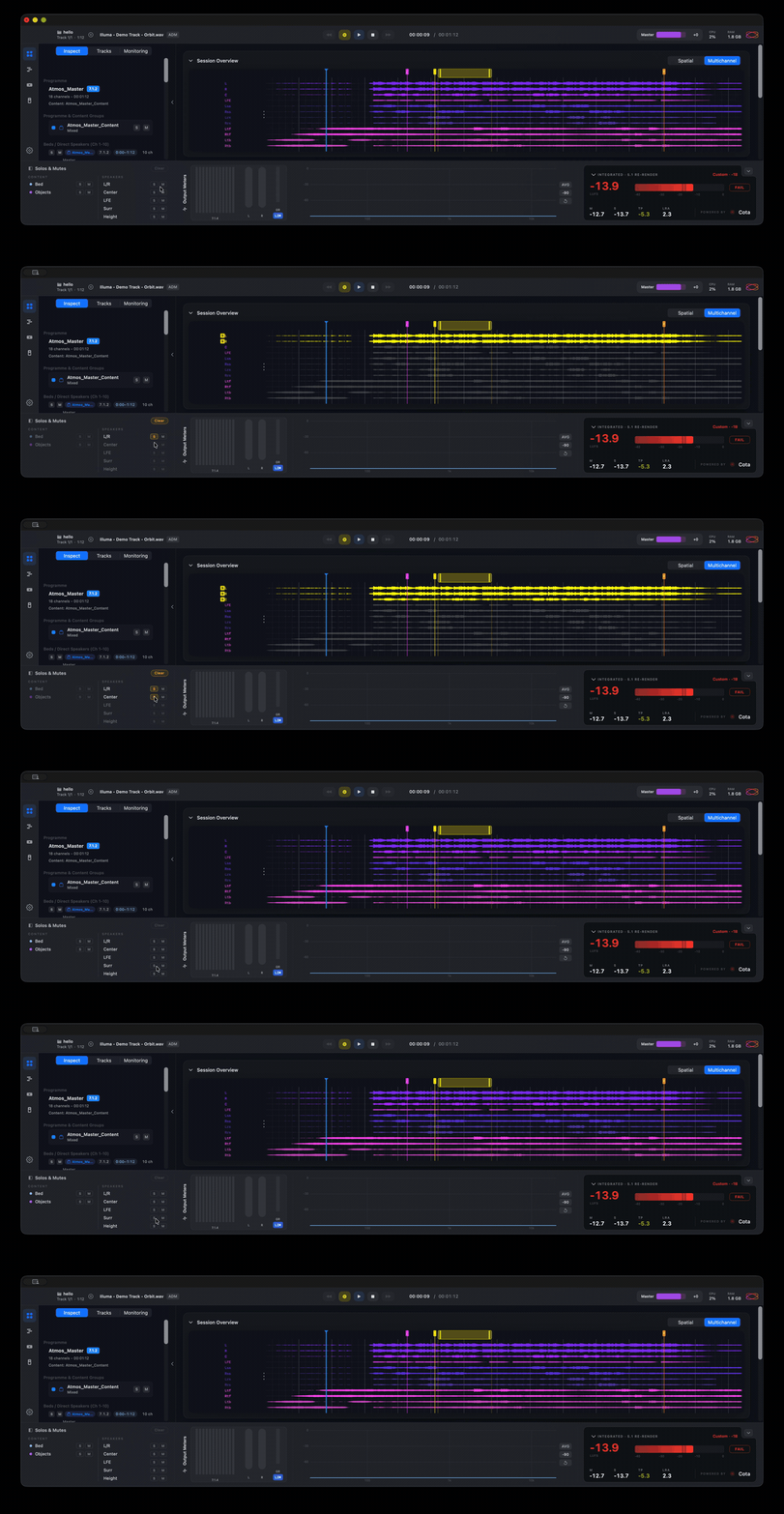
The Multichannel Waveform is essentially the same as the Spatial Waveform, but without the spatial weighting — each 7.1.4 channel is shown on its own row.
Soloing here highlights the soloed waveforms in yellow.
Rebuilding the waveform
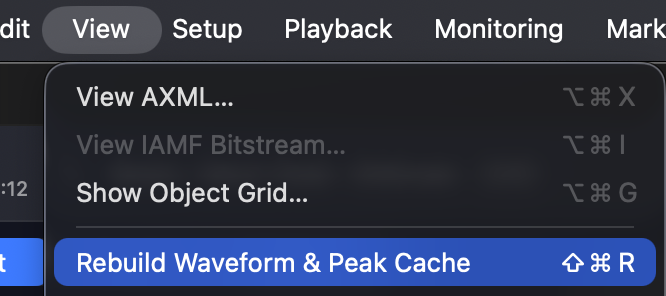
If a waveform ever looks wrong — for example a corrupt or out-of-date cache — you can regenerate it. Use View → Rebuild Waveform & Peak Cache, or the shortcut ⇧⌘R.
Related
- Overview — where the Session Overview waveform lives.
- Timeline View — the full-window per-element waveform workspace.
- Meters & Levels — per-channel level metering.